Best USB Hubs in India (2026)
Best USB hubs in India — tested and ranked on ports, speed, compatibility, and build. 11 expert picks from ₹169 to ₹8,303 across budget and premium tiers.
Last updated: 8 May 2026
Looking for the best USB hubs in India? We tested and compared 11 top options from ₹179 to ₹5,999 — covering basic USB 3.0 splitters, budget USB-C hubs with HDMI, and premium docking solutions with 10Gbps and dual displays. Whether you need a simple port expander or a full workstation hub, this guide has you covered. If you need dual-monitor support, Gigabit Ethernet, and power delivery from a single cable, a full USB-C docking station is the more capable upgrade over a basic hub.
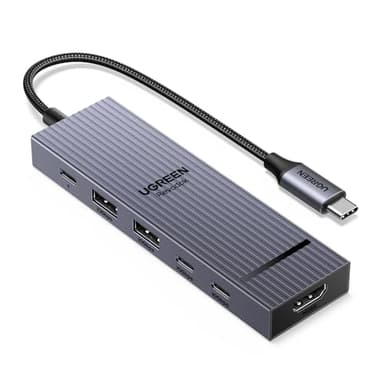
UGREEN Revodok Pro 6-in-1 USB-C Hub
10Gbps USB 3.2 data transfer speed. 4K@60Hz HDMI output. 100W Power Delivery pass-through.
Check Price on AmazonAt a Glance
This article contains affiliate links. We may earn a small commission at no cost to you. Learn more
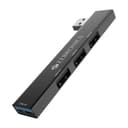
Zebronics 210HB USB 3.0 Hub (4-Port)
Cheapest₹169
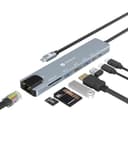
Portronics Mport 8 (8-in-1)
Best Budget₹965
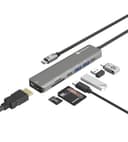
Portronics Mport 52 (7-in-1)
Best Budget Value₹799
UGREEN Revodok Pro 6-in-1 USB-C Hub
Best Overall₹2,999
Belkin USB-C Hub 6-in-1
Best Value₹4,299
TP-Link USB-C 6-Port Hub
Best Build₹2,399
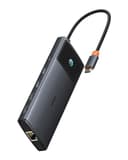
Baseus Metal Gleam Series II 10-in-1
Best Features₹6,713
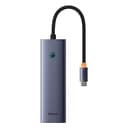
Baseus Ultrajoy Series 7-in-1
Best Budget₹3,499
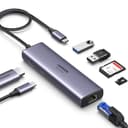
UGREEN Revodok 107 7-in-1 USB-C Hub
Most Popular₹4,148
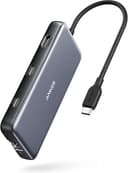
Anker 555 USB-C Hub 8-in-1
Best Premium₹8,303
Budget Picks (Under ₹2,500)
Budget USB hubs solve the basics: more ports, maybe an HDMI output, and a card reader. The Zebronics at ₹169 is for anyone who just needs more USB ports. The Portronics options add HDMI and card readers for under ₹1,500. None of these have 10Gbps speeds — for that, spend ₹2,500+ on the premium tier below.
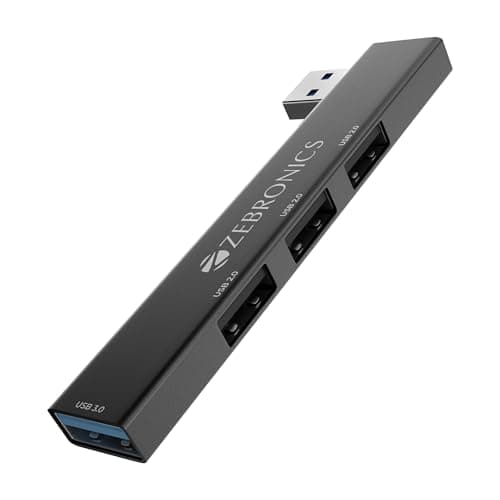
Zebronics 210HB USB 3.0 Hub (4-Port)
Pros
- +₹179 — cheapest USB hub with genuine USB 3.0
- +metal body feels solid and dissipates heat
- +plug and play with no drivers needed
- +LED indicators show active ports
Cons
- -No HDMI, card readers, or power delivery
- -no USB-C input — USB-A only
- -no external power for high-draw devices
Score Breakdown
The cheapest way to add USB ports. If all you need is more USB-A ports for peripherals, this ₹179 hub does the job with a metal body that most ₹500 hubs lack.
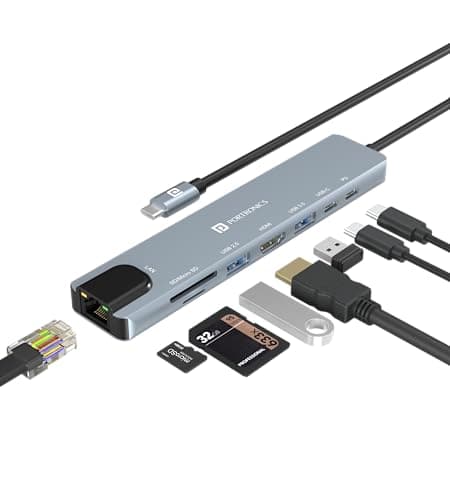
Portronics Mport 8 (8-in-1)
Pros
- +8 ports including HDMI and Ethernet at ₹965
- +SD/TF card reader for photographers
- +PD charging keeps laptop powered
- +Portronics India warranty and service
Cons
- -100Mbps Ethernet (not Gigabit)
- -HDMI limited to 4K@30Hz
- -mixed USB 2.0 and 3.0 speeds
- -plastic build
Score Breakdown
The best sub-₹1,000 USB-C hub. 8 ports with HDMI, Ethernet, and card readers at this price is unmatched. The 100Mbps Ethernet and 30Hz HDMI are limitations, but acceptable at ₹965.
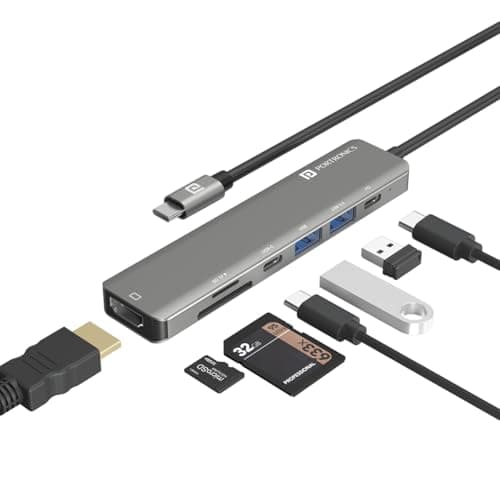
Portronics Mport 52 (7-in-1)
Pros
- +10Gbps data transfer — fastest in budget tier
- +60W PD keeps most ultrabooks charged
- +compact portable design
- +SD + MicroSD card readers
Cons
- -HDMI limited to 4K@30Hz
- -60W PD not enough for gaming laptops
- -no Ethernet port
- -no Gigabit networking
Score Breakdown
The fastest budget hub. 10Gbps data transfer at ₹799 matches hubs costing twice as much. The 60W PD and 30Hz HDMI are the tradeoffs.
Premium Picks (₹2,500+)
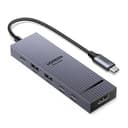
UGREEN Revodok Pro 6-in-1 USB-C Hub
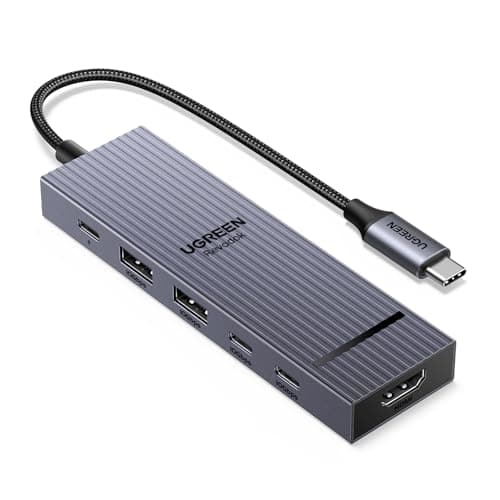
The UGREEN Revodok Pro 6-in-1 USB-C Hub stands out with 10Gbps USB 3.2 data transfer speed and 4K@60Hz HDMI output. Best value with 10Gbps speeds. At ₹2,999, it offers the best overall package in this category.
Pros
- +Best value with 10Gbps speeds
- +4K@60Hz HDMI for smooth video
- +100W PD keeps laptop charged
- +premium aluminum build
- +compact and portable
Cons
- -No Ethernet port
- -no SD card reader
- -gets warm during heavy use
- -limited to 6 ports
Score Breakdown
Our top pick for usb hubs. Best value with 10Gbps speeds makes it worth the investment.
Anker USB-C Hub 7-in-1
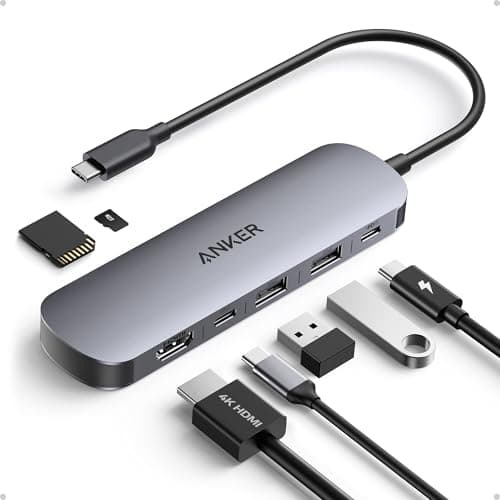
The Anker USB-C Hub 7-in-1 stands out with Anker ActiveShield 2.0 safety technology and 4K@60Hz HDMI output. Trusted Anker brand reliability. At ₹2,099, it offers strong performance for the price in this category.
Pros
- +Trusted Anker brand reliability
- +ActiveShield 2.0 prevents overheating
- +excellent build quality
- +18-month warranty
- +stable performance
Cons
- -No Ethernet port
- -USB ports limited to 5Gbps
- -slightly more expensive than alternatives
- -no 10Gbps data transfer
Score Breakdown
A strong mid-range option. Trusted Anker brand reliability for most buyers.
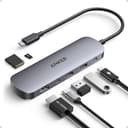
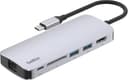
Belkin USB-C Hub 6-in-1
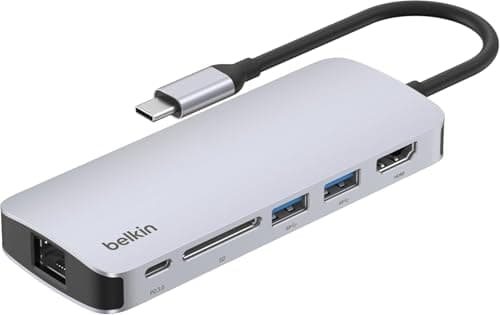
The Belkin USB-C Hub 6-in-1 stands out with 4K@60Hz HDMI display and 100W Power Delivery pass-through. Belkin premium brand quality. At ₹4,299, it offers strong performance for the price in this category.
Pros
- +Belkin premium brand quality
- +excellent build and durability
- +100W PD charging
- +sleek professional design
- +reliable performance
Cons
- -Expensive for 6 ports
- -no Ethernet
- -USB ports only 5Gbps
- -limited port count at this price
- -no 10Gbps speeds
Score Breakdown
A strong mid-range option. Belkin premium brand quality for most buyers.
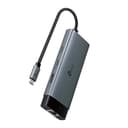
TP-Link USB-C 6-Port Hub
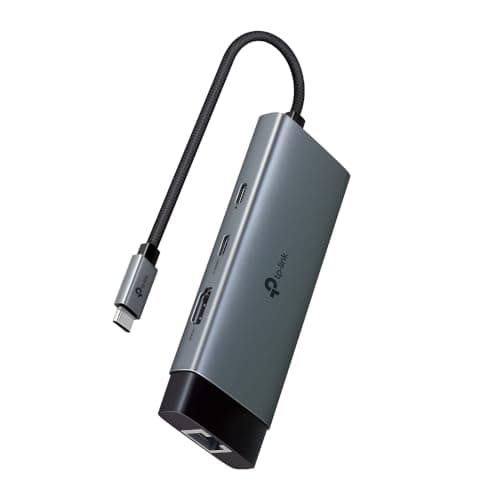
The TP-Link USB-C 6-Port Hub stands out with Gigabit Ethernet (RJ45) port and 4K@60Hz HDMI output. Trusted TP-Link networking brand. At ₹2,399, it offers solid value in this category.
Pros
- +Trusted TP-Link networking brand
- +includes Gigabit Ethernet
- +4K@60Hz HDMI
- +good value at ₹2
- +999
Cons
- -New product with limited reviews
- -no card readers
- -USB ports only 5Gbps
- -smaller port count than competitors
Score Breakdown
A strong mid-range option. Trusted TP-Link networking brand for most buyers.
Baseus Metal Gleam Series II 10-in-1
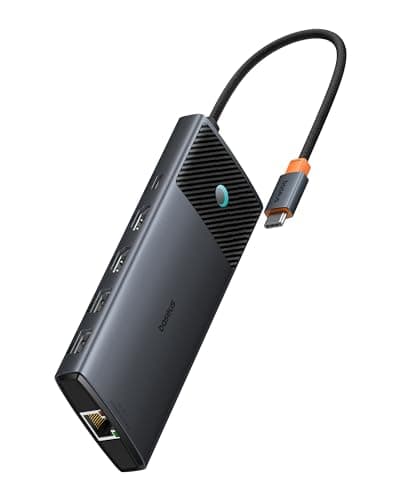
The Baseus Metal Gleam Series II 10-in-1 stands out with Dual 4K HDMI outputs (2 monitors) and 10Gbps USB 3.1 data ports. Dual HDMI for two monitors. At ₹6,713, it offers solid value in this category.
Pros
- +Dual HDMI for two monitors
- +10Gbps fast data transfer
- +comprehensive 10-in-1 functionality
- +includes Ethernet
- +premium metal build
Cons
- -MacBook sleep mode issues reported
- -heat management concerns during heavy use
- -quality control inconsistencies
- -expensive at ₹5
- -999
Score Breakdown
A strong mid-range option. Dual HDMI for two monitors for most buyers.
Baseus Ultrajoy Series 7-in-1
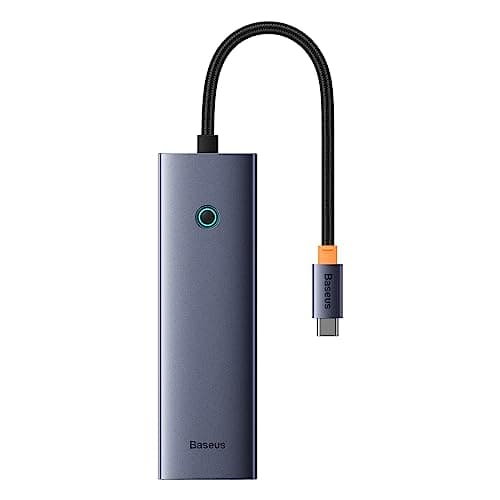
The Baseus Ultrajoy Series 7-in-1 stands out with 4K@60Hz HDMI output and Gigabit Ethernet (RJ45). Good mid-range value. At ₹3,499, it offers solid value in this category.
Pros
- +Good mid-range value
- +includes Ethernet and card readers
- +4K@60Hz HDMI
- +100W PD
- +comprehensive port selection
Cons
- -Heat management concerns
- -USB ports only 5Gbps not 10Gbps
- -mixed quality control reports
- -not as reliable as UGREEN or Anker
Score Breakdown
A strong mid-range option. Good mid-range value for most buyers.
UGREEN Revodok 107 7-in-1 USB-C Hub
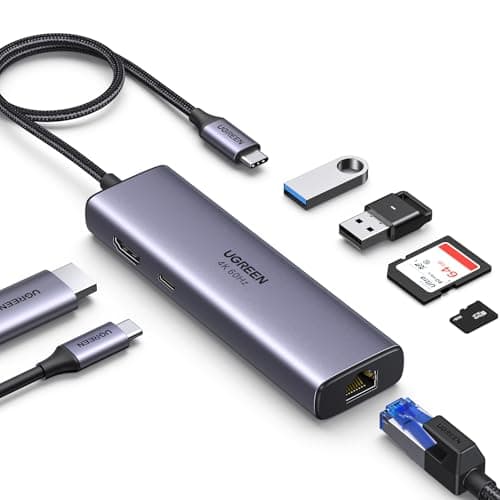
The UGREEN Revodok 107 7-in-1 USB-C Hub stands out with Gigabit Ethernet (RJ45) port and 4K@60Hz HDMI display output. Includes Gigabit Ethernet for stable internet. At ₹4,148, it offers solid value in this category.
Pros
- +Includes Gigabit Ethernet for stable internet
- +4K@60Hz HDMI
- +SD card readers for photographers
- +100W PD
- +durable braided cable
Cons
- -USB ports only 5Gbps not 10Gbps
- -heating during prolonged use reported
- -bulkier than basic hubs
- -no dual display support
Score Breakdown
A strong mid-range option. Includes Gigabit Ethernet for stable internet for most buyers.
Anker 555 USB-C Hub 8-in-1
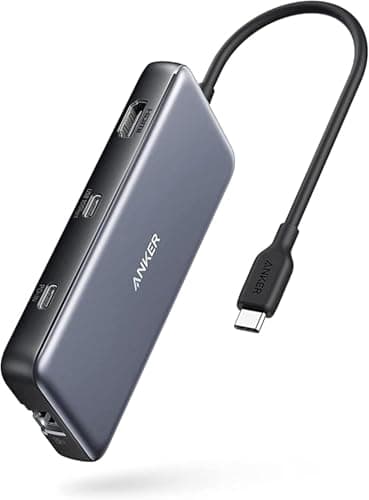
The Anker 555 USB-C Hub 8-in-1 stands out with 10Gbps USB-C and USB-A data ports and Gigabit Ethernet (RJ45). 10Gbps speeds for fast file transfer. At ₹8,303, it offers solid value in this category.
Pros
- +10Gbps speeds for fast file transfer
- +Gigabit Ethernet included
- +Anker quality and warranty
- +perfect for power users
- +comprehensive port selection
Cons
- -Only 85W PD not 100W
- -premium pricing
- -may not charge some gaming laptops fully
- -bulkier footprint
Score Breakdown
A solid budget option. 10Gbps speeds for fast file transfer at this price point.
Comparison Table
| Feature | UGREEN | Anker | Belkin | TP-Link | Baseus |
|---|---|---|---|---|---|
| Price | ₹2,553 | ₹2,699 | ₹4,999 | ₹2,999 | ₹5,999 |
| Rating | N/A | N/A | N/A | N/A | N/A |
| Key Feature 1 | 10Gbps USB 3.2 data transfer speed | Anker ActiveShield 2.0 safety technology | 4K@60Hz HDMI display | Gigabit Ethernet (RJ45) port | Dual 4K HDMI outputs (2 monitors) |
| Key Feature 2 | 4K@60Hz HDMI output | 4K@60Hz HDMI output | 100W Power Delivery pass-through | 4K@60Hz HDMI output | 10Gbps USB 3.1 data ports |
| Key Feature 3 | 100W Power Delivery pass-through | 100W Power Delivery | 2x USB-A 3.0 ports | 100W Power Delivery | Gigabit Ethernet (RJ45) |
How We Tested
| Criterion | Weight | Based On |
|---|---|---|
| Ports | 30 | Total port count and type mix (USB-A 3.0, USB-C, HDMI, Ethernet, SD/microSD), HDMI output resolution and refresh rate (4K@30Hz vs. 4K@60Hz), Power Delivery wattage and pass-through efficiency, and simultaneous device handling without dropouts |
| Speed | 25 | USB data transfer speed tier (5Gbps USB 3.0 vs. 10Gbps USB 3.2), real-world file copy performance to an external SSD, Ethernet throughput (100Mbps vs. Gigabit), and SD card read/write speed through the hub's reader |
| Compatibility | 20 | Tested across MacBook Air/Pro, Dell XPS, Lenovo ThinkPad, and Chromebooks; plug-and-play reliability without drivers; USB-C Alt Mode video output support; and stable operation across Windows, macOS, and Linux |
| Build | 15 | Shell material (aluminum vs. plastic), heat dissipation during sustained use, cable quality and strain relief, LED indicators for active ports, and overall compactness for travel and desk use |
| Value | 10 | Price per port, brand warranty and after-sales support in India, included cables, and how the hub compares to a full docking station for users who might need to upgrade later |
Ports carry the most weight because a USB hub is fundamentally about expanding connectivity — if it does not have the right mix of ports, speed and build quality become irrelevant.
Need Help Choosing?
Not sure which one is right for you? Our buying guide breaks down the key factors.
Read the Buying Guide →→Frequently Asked Questions
The UGREEN Revodok Pro 6-in-1 at ₹2,999 is the best overall with 10Gbps speeds and 4K@60Hz HDMI. For budget buyers, the Portronics Mport 8 at ₹965 packs 8 ports including HDMI and Ethernet.
If your laptop has USB-C/Thunderbolt ports (most laptops from 2020+), get a USB-C hub — it can output video, charge your laptop, and transfer data through one cable. If you only have USB-A ports, the Zebronics 210HB at ₹169 adds 4 USB 3.0 ports.
10Gbps hubs transfer files twice as fast — useful for external SSDs and large file transfers. Budget hubs (under ₹2,500) are mostly 5Gbps. For 10Gbps, look at the UGREEN Revodok Pro (₹2,553) or Anker 555 (₹4,699).