
Best USB-C Docking Stations in India (2026)
Best USB-C Docking Stations in India — researched and ranked on ports, speed, compatibility, and build. 8 expert picks from ₹945 to ₹27,110.
We may earn a commission when you buy through links on this page, at no extra cost to you. We could also earn a fee through some links when you click on them. Learn more
The best USB-C docking station in India is the Portronics MPort View Three 10-in-1 (₹1,599) — a 10-in-1 dock that runs a 4K@60Hz HDMI screen, adds Gigabit Ethernet and a legacy VGA output, and charges your laptop at 100W. We researched and compared 8 top options available on Amazon.in, scoring each on ports, speed, compatibility, build, value. If you only need a few extra ports and do not require display output or Ethernet, a simpler USB hub costs less and takes up less desk space.
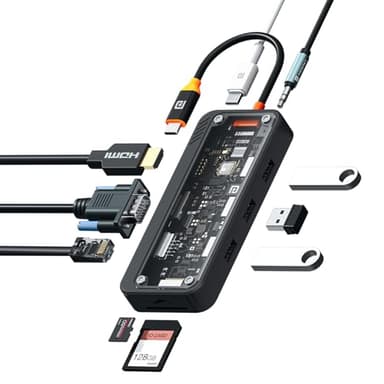
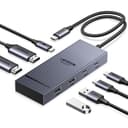
Portronics MPort View Three 10-in-1
A 10-in-1 dock that runs a 4K@60Hz HDMI screen, adds Gigabit Ethernet and a legacy VGA output, and charges your laptop at 100W — the widest port spread in this lineup for the money.
At a Glance
Detailed Reviews
Portronics MPort View Three 10-in-1
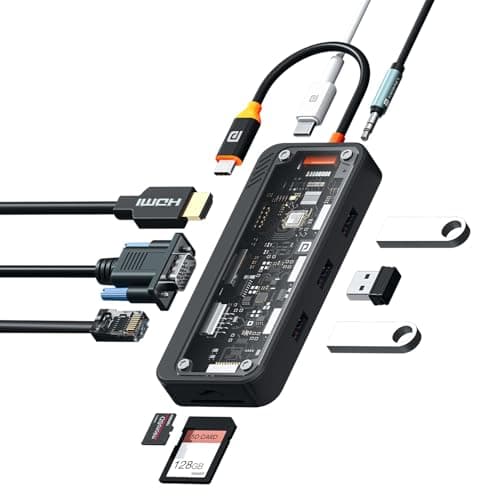
This 10-in-1 dock from Portronics pairs a 4K@60Hz HDMI output with Gigabit Ethernet, a VGA port for older monitors, and 100W Power Delivery, all housed in a metal shell with heat dissipation. It suits home-office users who want to run dual displays and a wired network connection from a single ₹1,799 dock. Its 5Gbps USB ceiling and lack of customer reviews so far are the main caveats.
Pros
- +Best budget option with 4K@60Hz
- +Gigabit Ethernet included
- +dual display capability
- +VGA for legacy monitors
- +excellent port variety for price
Cons
- -New product with no customer reviews yet
- -HDMI limited to 4K@30Hz on secondary port
- -5Gbps USB speeds only
- -Portronics brand quality concerns
Score Breakdown
Buy it if you want the widest port spread here, including dual display and Gigabit Ethernet, and can live with 5Gbps USB rather than faster 10Gbps ports.
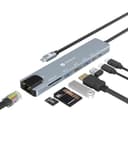
Portronics Mport 8 USB-C Hub
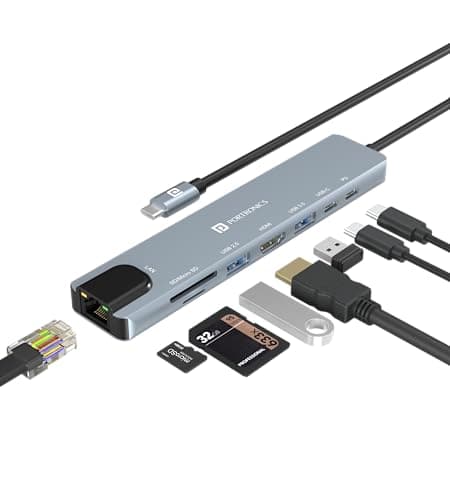
At ₹945, the Mport 8 is the cheapest eight-port hub in this lineup, folding HDMI, three USB-A ports and an SD/TF reader into a compact aluminum body with 100W pass-through charging. It fits anyone who wants to expand a laptop on a tight budget without carrying anything bulky. There is no Ethernet, and video tops out at 4K@30Hz.
Pros
- +Most affordable 8-in-1 hub
- +excellent value under ₹1,000
- +compact and portable
- +solid aluminum build
Cons
- -HDMI limited to 4K@30Hz (not 60Hz)
- -USB ports only 5Gbps (not 10Gbps)
- -no Ethernet port
- -newer Portronics product with limited reviews
Score Breakdown
A sensible pick if you want the lowest price for eight ports and do not need Gigabit Ethernet or 60Hz 4K output.
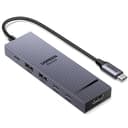
UGREEN Revodok Pro 6-in-1 USB-C Hub
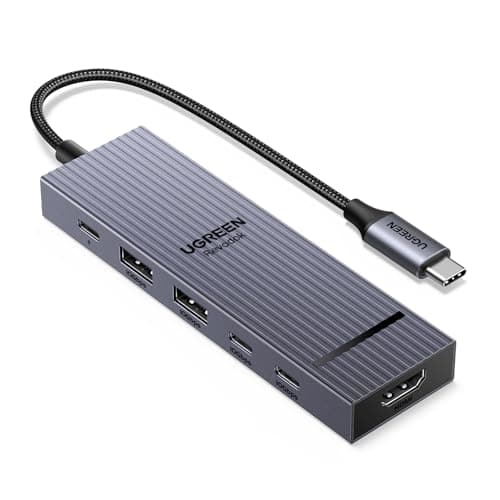
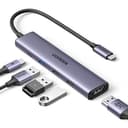
The Revodok Pro 6-in-1 is UGREEN's answer for people who move large files: its USB 3.2 ports run at 10Gbps, and the HDMI drives a single screen at a crisp 4K@60Hz. An aluminum-alloy body and broad MacBook, iPad and Windows compatibility make it a tidy travel companion. Expect it to warm up under sustained load, and note there is no Ethernet.
Pros
- +Best value for 10Gbps speed
- +smooth 4K@60Hz output
- +excellent build quality
- +compact design
- +reliable performance
Cons
- -Gets warm during extended use
- -single display output only
- -USB-C port for data only (no video/charging)
- -no Ethernet
- -some display connection issues reported
Score Breakdown
Worth buying for the 10Gbps transfer speeds and 4K@60Hz output, provided a single display and no wired networking suit your workflow.
UGREEN Revodok Pro 207 USB-C Dock (7-in-1)
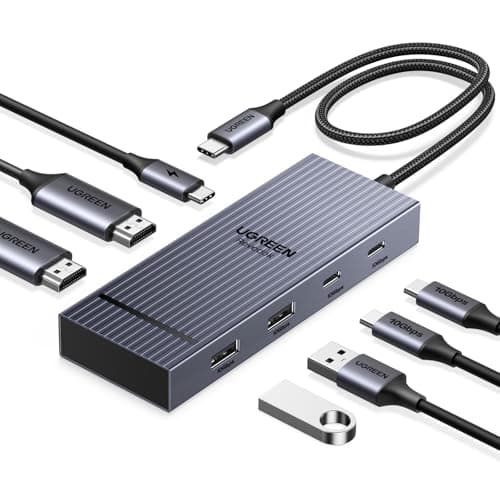
What sets the Revodok Pro 207 apart is dual HDMI outputs that each run 4K at 60Hz, backed by 10Gbps USB 3.2 data and 100W pass-through charging. It targets professionals who want two sharp external monitors from one ₹3,959 dock. The trade-off is a lean port list, with no Ethernet and no card readers.
Pros
- +Dual 4K@60Hz displays - rare in this price
- +10Gbps fast data transfer
- +excellent for multi-monitor setups
- +solid build quality
- +good for professionals
Cons
- -No Ethernet port
- -premium pricing
- -limited port count for price
- -no card readers
- -gets warm with dual displays
Score Breakdown
Choose this one if a genuine dual 4K@60Hz setup matters more to you than card slots or a wired Ethernet jack.
Lemorele 13-in-1 USB-C Docking Station
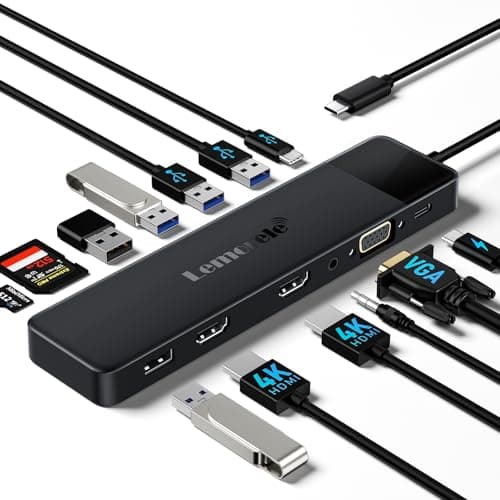
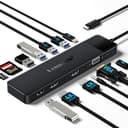
With 13 ports, the Lemorele is the connectivity champion here, packing dual HDMI, VGA, five USB-A ports, Gigabit Ethernet and SD/microSD slots into one station. It is aimed at cluttered office desks that need to drive legacy projectors and a wired network at the same time. The catch is that HDMI is capped at 4K@30Hz and you need a 100W charger to unlock full functionality.
Pros
- +Maximum port variety (13-in-1)
- +VGA for older displays
- +Gigabit Ethernet included
- +dual HDMI capability
- +excellent for offices
Cons
- -HDMI limited to 4K@30Hz (not 60Hz)
- -requires 100W charger for full functionality
- -newer brand with limited reviews
- -bulkier than compact hubs
Score Breakdown
Go for it if sheer port count and legacy VGA support outweigh its 4K@30Hz display ceiling.
Anker 332 USB-C Hub (5-in-1)
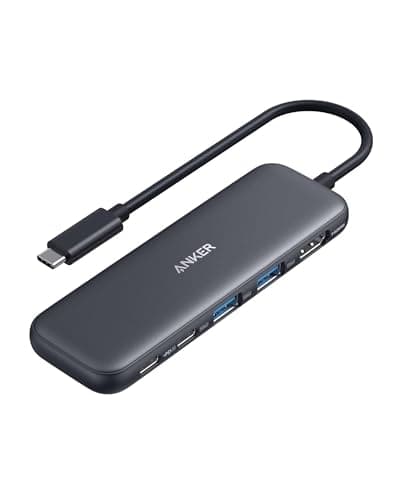
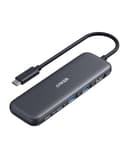
The Anker 332 keeps things simple: a 4K HDMI output, two USB-A 3.0 ports and 85W pass-through charging in a premium aluminum shell tuned for MacBooks. It suits light users who value Anker's reliability and a slim travel form over a long port list. There is no Ethernet, no card reader, and video maxes out at 4K@30Hz.
Pros
- +Trusted Anker brand quality
- +premium aluminum build
- +excellent MacBook compatibility
- +compact for travel
- +reliable performance
Cons
- -Only 4K@30Hz (not 60Hz)
- -limited to 5 ports
- -no Ethernet or card readers
- -no 10Gbps ports
- -best suited for light users
Score Breakdown
Pick it for Anker's build quality and MacBook fit if five ports and 4K@30Hz cover what you need.
UGREEN Revodok 105 USB-C Hub (5-in-1)
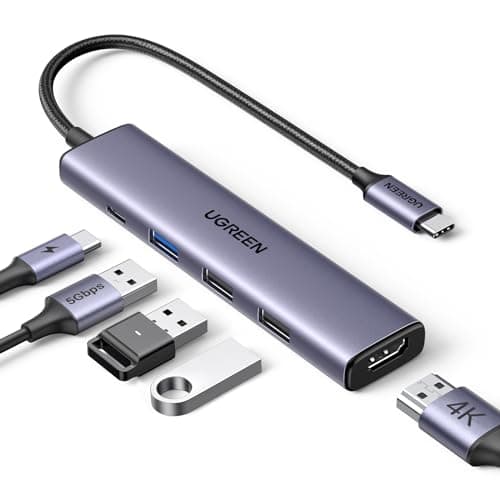
UGREEN's Revodok 105 is a compact five-port hub built around three USB-A 3.0 ports, a 4K HDMI output and 100W Power Delivery that passes 85W through to your laptop. Its small aluminum body and steady heat handling make it easy to keep in a bag. Ports are limited, there is no Ethernet, and HDMI stays at 4K@30Hz.
Pros
- +Excellent build quality
- +compact travel-friendly design
- +100W PD charging
- +reliable UGREEN brand
- +good heat management
Cons
- -Only 4K@30Hz HDMI
- -no Ethernet port
- -limited to 5 ports
- -no card readers
- -5Gbps speeds only
Score Breakdown
A dependable everyday choice at ₹1,512 if you mainly need extra USB-A ports and pass-through charging rather than Ethernet or dual screens.
Dell WD22TB4 Thunderbolt 4 Dock
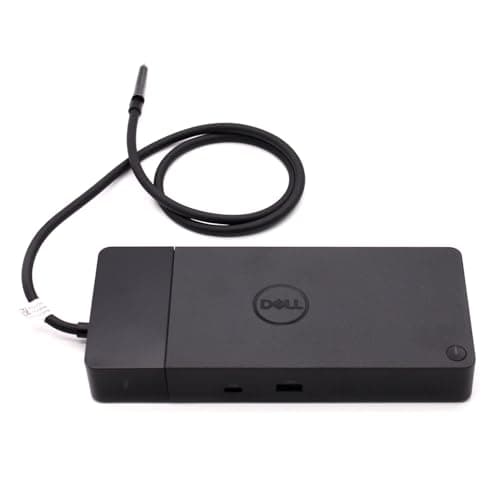
The Dell WD22TB4 is the powerhouse of this list: Thunderbolt 4 at 40Gbps, up to 5K@60Hz or dual 4K displays, 130W charging, plus four USB-A ports, dual USB-C/Thunderbolt, Gigabit Ethernet and an audio jack. It is built for Dell XPS and Latitude professionals running demanding multi-display workstations. At ₹27,110 it is easily the priciest option here, and it leans heavily toward Dell hardware.
Pros
- +Thunderbolt 4 speeds (40Gbps)
- +highest display support (5K@60Hz)
- +130W charging for power-hungry laptops
- +excellent for Dell XPS/Latitude
- +professional-grade build
Cons
- -Very expensive (₹23K+)
- -primarily optimized for Dell laptops only
- -overkill for basic users
- -bulky design
- -limited compatibility with non-Dell laptops
Score Breakdown
Worth the ₹27,110 outlay only if you run a Dell laptop and need Thunderbolt 4 speeds with 5K or dual-4K output; skip it for a general-purpose or non-Dell setup.
Comparison Table
| Feature | Portronics | Portronics | UGREEN | UGREEN | Lemorele |
|---|---|---|---|---|---|
| Price | ₹1,599 | ₹945 | ₹2,543 | ₹3,959 | ₹3,607 |
| Key Feature 1 | 10-in-1: Dual HDMI, VGA, 3x USB-A, Ethernet, SD/TF, USB-C PD | 8-in-1: HDMI, 3x USB-A, SD/TF, USB-C PD, USB-C data | 10Gbps ultra-fast data transfer (USB 3.2) | Dual 4K@60Hz HDMI display outputs | 13 ports: Dual HDMI, VGA, 5x USB-A, Ethernet, SD/microSD, USB-C PD |
| Key Feature 2 | 4K@60Hz HDMI display output | 4K@30Hz HDMI display output | 4K@60Hz HDMI display output | 10Gbps USB 3.2 data transfer | Dual 4K@30Hz HDMI outputs |
| Key Feature 3 | 100W Power Delivery charging | 100W Power Delivery pass-through | 100W Power Delivery (85W pass-through) | 100W Power Delivery pass-through | 100W Power Delivery charging |
How We Research & Rank
| Criterion | Weight | Based On |
|---|---|---|
| Ports | 30 | Total port count and variety (HDMI, USB-A, USB-C, Ethernet RJ45, SD/microSD, VGA, 3.5mm audio), number of display outputs, maximum simultaneous display resolution (single 4K@60Hz vs. dual 4K@30Hz), and Power Delivery wattage for laptop charging |
| Speed | 25 | USB data transfer speed (5Gbps USB 3.0 vs. 10Gbps USB 3.2 vs. 40Gbps Thunderbolt 4), Ethernet speed (100Mbps vs. Gigabit), SD card reader speed class, and real-world file transfer performance to connected drives |
| Compatibility | 20 | Verified working devices across MacBook, Windows ultrabooks, Chromebooks, and iPads; USB-C DisplayPort Alt Mode support; driver-free plug-and-play reliability; and dual-monitor behaviour across operating systems |
| Build | 15 | Shell material (aluminum alloy vs. plastic), thermal management during sustained multi-device use, cable length and strain relief, LED indicator quality, and overall footprint on a desk |
| Value | 10 | Price per port, included cables and adapters, brand warranty and Indian service network availability, and long-term reliability based on Amazon India review analysis |
Port variety leads because docking stations replace an entire desk setup — if a dock is missing HDMI, Ethernet, or card readers, you end up buying separate adapters anyway.
Need Help Choosing?
Not sure which one is right for you? Our buying guide breaks down the key factors.
Read the Buying GuideFrequently Asked Questions
Based on our analysis, the Portronics MPort View Three 10-in-1 is the best overall pick, scoring highest on ports and speed.
Focus on ports, speed, compatibility as the most important factors. Our methodology section above explains each criterion in detail.