
Best USB Hubs in India (2026)
Best USB hubs in India — researched and ranked on ports, speed, compatibility, and build. 11 expert picks from ₹169 to ₹8,303 across budget and premium tiers.
We may earn a commission when you buy through links on this page, at no extra cost to you. We could also earn a fee through some links when you click on them. Learn more
The best USB hub in India is the UGREEN Revodok Pro 6-in-1 (₹2,543) — a compact aluminum hub that pairs 10Gbps transfers with a 4K@60Hz HDMI output and 100W charging pass-through for a single-cable laptop setup. We researched and compared 11 top options from ₹179 to ₹5,999 — covering basic USB 3.0 splitters, budget USB-C hubs with HDMI, and premium docking solutions with 10Gbps and dual displays. Whether you need a simple port expander or a full workstation hub, this guide has you covered. If you need dual-monitor support, Gigabit Ethernet, and power delivery from a single cable, a full USB-C docking station is the more capable upgrade over a basic hub.
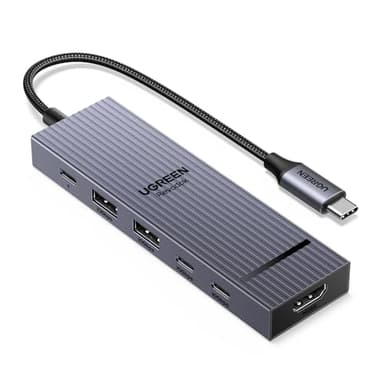
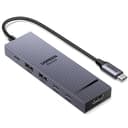
UGREEN Revodok Pro 6-in-1 USB-C Hub
A compact aluminum USB-C hub that pairs 10Gbps transfers with a 4K@60Hz HDMI output and 100W charging pass-through, making it our overall pick for a single-cable laptop setup.
At a Glance
Budget Picks (Under ₹2,500)
Budget USB hubs solve the basics: more ports, maybe an HDMI output, and a card reader. The Zebronics at ₹169 is for anyone who just needs more USB ports. The Portronics options add HDMI and card readers for under ₹1,500. None of these have 10Gbps speeds — for that, spend ₹2,500+ on the premium tier below.
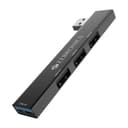
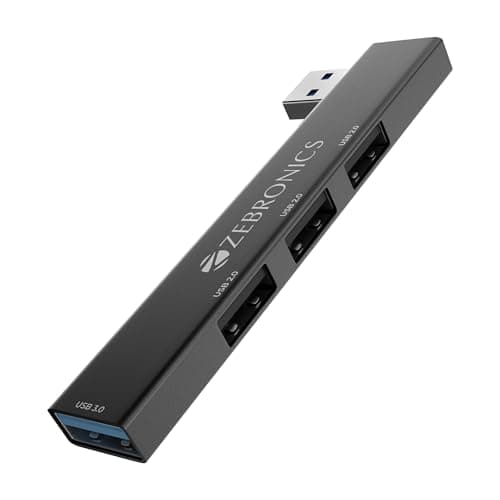
Zebronics 210HB USB 3.0 Hub (4-Port)
Pros
- +₹179 — cheapest USB hub with genuine USB 3.0
- +metal body feels solid and dissipates heat
- +plug and play with no drivers needed
- +LED indicators show active ports
Cons
- -No HDMI, card readers, or power delivery
- -no USB-C input — USB-A only
- -no external power for high-draw devices
Score Breakdown
Reach for this only if you simply need four more USB-A ports at rock-bottom cost — the metal body and LED port indicators are a nice touch for ₹169, but there is no HDMI, no card reader, and no power delivery.
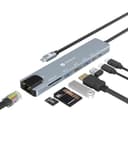
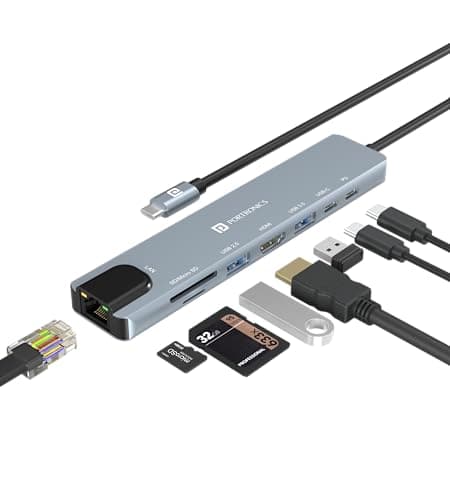
Portronics Mport 8 (8-in-1)
Pros
- +8 ports including HDMI and Ethernet at ₹945
- +SD/TF card reader for photographers
- +PD charging keeps laptop powered
- +Portronics India warranty and service
Cons
- -100Mbps Ethernet (not Gigabit)
- -HDMI limited to 4K@30Hz
- -mixed USB 2.0 and 3.0 speeds
- -plastic build
Score Breakdown
A good buy if you want eight ports — HDMI, Ethernet and a card reader included — for under ₹1,000, provided you can live with 100Mbps (not Gigabit) Ethernet, a 4K@30Hz HDMI cap, and a plastic housing.
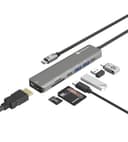
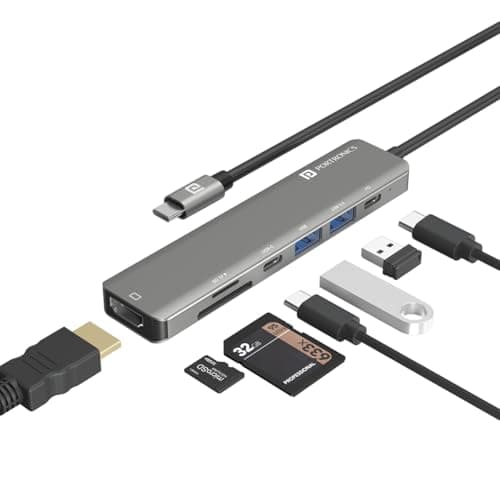
Portronics Mport 52 (7-in-1)
Pros
- +10Gbps data transfer — fastest in budget tier
- +60W PD keeps most ultrabooks charged
- +compact portable design
- +SD + MicroSD card readers
Cons
- -HDMI limited to 4K@30Hz
- -60W PD not enough for gaming laptops
- -no Ethernet port
- -no Gigabit networking
Score Breakdown
Choose this ₹799 hub when transfer speed on a tight budget matters most, since its 10Gbps ports are the fastest in the budget tier — the compromises are no Ethernet, 60W charging that leaves gaming laptops short, and 4K@30Hz video.
Premium Picks (₹2,500+)
UGREEN Revodok Pro 6-in-1 USB-C Hub
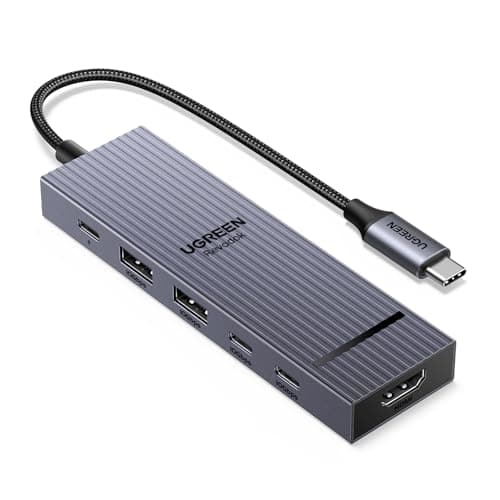
The Revodok Pro packs 10Gbps USB 3.2 transfers, a 4K@60Hz HDMI output and 100W charging pass-through into a compact aluminum body rated for Windows, Mac and Linux. It is the pick for someone who wants a fast, tidy single-cable desk and can do without wired Ethernet or an SD slot.
Pros
- +Best value with 10Gbps speeds
- +4K@60Hz HDMI for smooth video
- +100W PD keeps laptop charged
- +premium aluminum build
- +compact and portable
Cons
- -No Ethernet port
- -no SD card reader
- -gets warm during heavy use
- -limited to 6 ports
Score Breakdown
This earns the top spot on the strength of its 10Gbps speeds, 4K@60Hz output and heat-dissipating aluminum shell; the only notable omissions are an Ethernet jack and a card reader.
Anker USB-C Hub 7-in-1
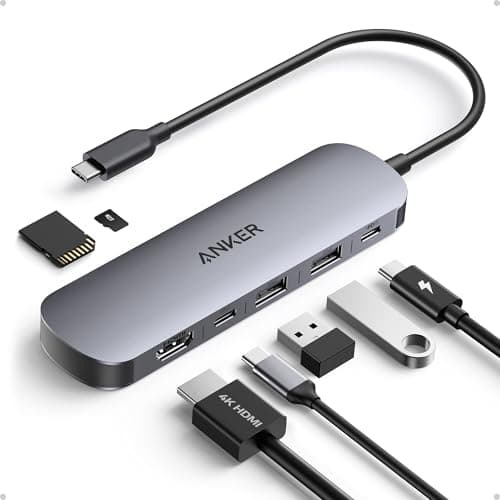
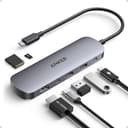
Anker's seven-in-one leads with ActiveShield 2.0 overheating protection, a 4K@60Hz HDMI output, 100W charging and dual SD/microSD slots, all under an 18-month warranty. It is aimed at buyers who care more about build quality and safety than headline transfer speed.
Pros
- +Trusted Anker brand reliability
- +ActiveShield 2.0 prevents overheating
- +excellent build quality
- +18-month warranty
- +stable performance
Cons
- -No Ethernet port
- -USB ports limited to 5Gbps
- -slightly more expensive than alternatives
- -no 10Gbps data transfer
Score Breakdown
Slots in as a trustworthy runner-up thanks to the 18-month warranty and ActiveShield build, but its USB-A ports run at 5Gbps and there is no Ethernet.
Belkin USB-C Hub 6-in-1
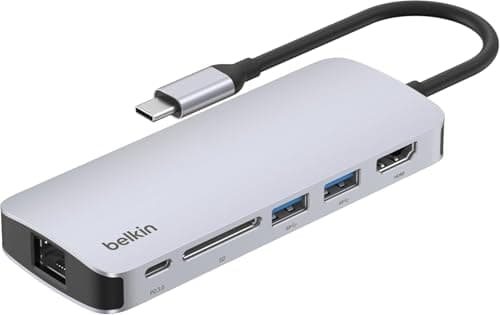
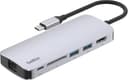
Belkin's six-port hub is built around a polished, durable chassis with a 4K@60Hz HDMI output, 100W charging and SD/microSD readers. It will appeal to professionals who value a refined, dependable design more than a high port count or the fastest data.
Pros
- +Belkin premium brand quality
- +excellent build and durability
- +100W PD charging
- +sleek professional design
- +reliable performance
Cons
- -Expensive for 6 ports
- -no Ethernet
- -USB ports only 5Gbps
- -limited port count at this price
- -no 10Gbps speeds
Score Breakdown
Justifiable if you want Belkin's sleek, hard-wearing build and 100W charging, but ₹4,299 buys only six ports capped at 5Gbps with no Ethernet.
TP-Link USB-C 6-Port Hub
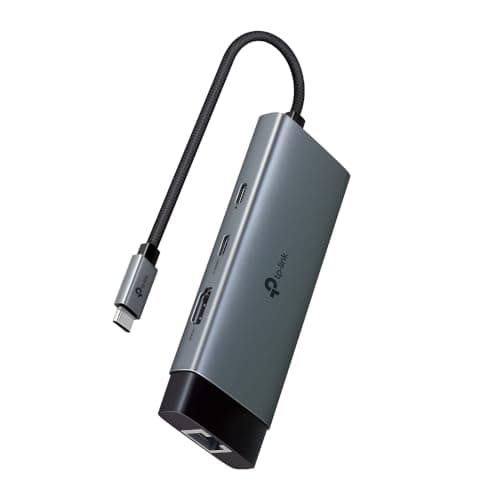
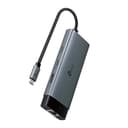
This TP-Link hub combines Gigabit Ethernet, a 4K@60Hz HDMI output, 100W charging and three USB 3.0 ports in a compact body from a name known for networking hardware. It fits anyone who wants reliable wired internet routed through a laptop dock.
Pros
- +Trusted TP-Link networking brand
- +includes Gigabit Ethernet
- +4K@60Hz HDMI
- +good value at ₹2,399
Cons
- -New product with limited reviews
- -no card readers
- -USB ports only 5Gbps
- -smaller port count than competitors
Score Breakdown
Makes sense mainly when Gigabit Ethernet is your priority, though it is a newer listing with few reviews, skips card readers, and holds its USB ports to 5Gbps.
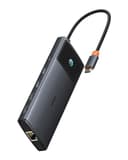
Baseus Metal Gleam Series II 10-in-1
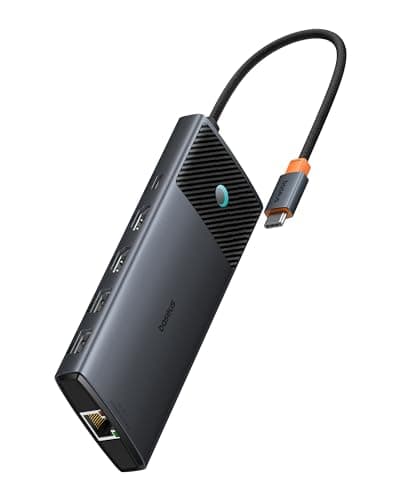
This ten-in-one Baseus is the most loaded hub here, with dual 4K HDMI outputs, 10Gbps USB 3.1 ports, Gigabit Ethernet and 100W charging in a metal enclosure. It is built for multi-monitor desks that need every connection from a single unit.
Pros
- +Dual HDMI for two monitors
- +10Gbps fast data transfer
- +comprehensive 10-in-1 functionality
- +includes Ethernet
- +premium metal build
Cons
- -MacBook sleep mode issues reported
- -heat management concerns during heavy use
- -quality control inconsistencies
- -expensive at ₹6,713
Score Breakdown
Worth considering when two external displays and maximum ports are the goal, but weigh the reported MacBook sleep-mode glitches, heat buildup and inconsistent quality control before paying ₹6,713.
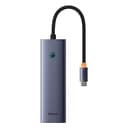
Baseus Ultrajoy Series 7-in-1
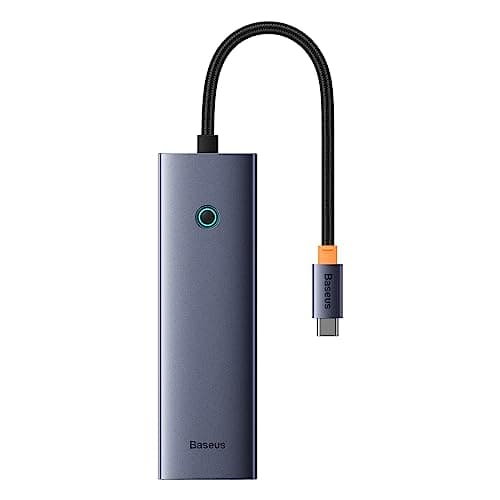
The Ultrajoy fits a 4K@60Hz HDMI output, Gigabit Ethernet, 100W charging and SD/TF readers into a compact aluminum shell with a broad port spread. It works for anyone who wants full connectivity without paying premium-brand prices.
Pros
- +Good mid-range value
- +includes Ethernet and card readers
- +4K@60Hz HDMI
- +100W PD
- +comprehensive port selection
Cons
- -Heat management concerns
- -USB ports only 5Gbps not 10Gbps
- -mixed quality control reports
- -not as reliable as UGREEN or Anker
Score Breakdown
Delivers a lot of connectivity for the money with Ethernet and card readers on board, yet its 5Gbps USB ports, heat concerns and patchier quality control leave it trailing UGREEN and Anker.
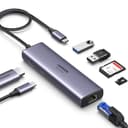
UGREEN Revodok 107 7-in-1 USB-C Hub
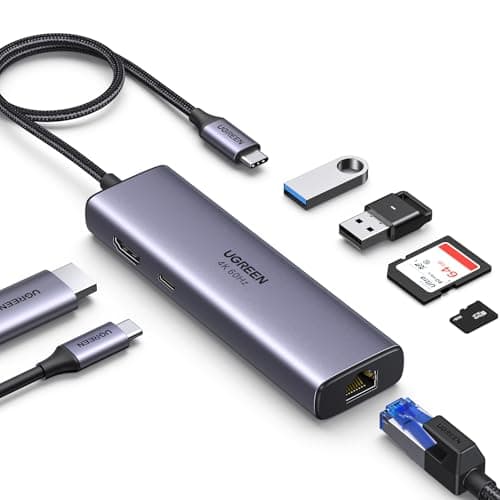
A well-liked seven-port UGREEN pairing Gigabit Ethernet, a 4K@60Hz HDMI output, 100W charging and card readers on a durable braided cable. It suits home and office users who want stable wired internet and a single external display.
Pros
- +Includes Gigabit Ethernet for stable internet
- +4K@60Hz HDMI
- +SD card readers for photographers
- +100W PD
- +durable braided cable
Cons
- -USB ports only 5Gbps not 10Gbps
- -heating during prolonged use reported
- -bulkier than basic hubs
- -no dual display support
Score Breakdown
A safe, popular pick for wired Ethernet and everyday docking, tempered by 5Gbps USB ports, some warming under load, and no support for a second display.
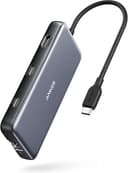
Anker 555 USB-C Hub 8-in-1
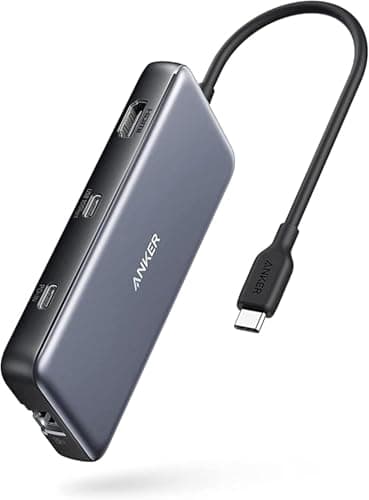
The Anker 555 sits at the top of the price ladder, offering 10Gbps USB-C and USB-A ports, Gigabit Ethernet, a 4K@60Hz HDMI output and 85W charging in an aluminum body. It targets power users who want fast transfers and full wired connectivity from a well-known brand.
Pros
- +10Gbps speeds for fast file transfer
- +Gigabit Ethernet included
- +Anker quality and warranty
- +perfect for power users
- +comprehensive port selection
Cons
- -Only 85W PD not 100W
- -premium pricing
- -may not charge some gaming laptops fully
- -bulkier footprint
Score Breakdown
Commands the highest price here, and largely earns it with 10Gbps ports and Anker's warranty — though the 85W charging may not fully power a demanding gaming laptop.
Comparison Table
| Feature | UGREEN | Anker | Belkin | TP-Link | Baseus |
|---|---|---|---|---|---|
| Price | ₹2,543 | ₹2,099 | ₹4,299 | ₹2,399 | ₹6,713 |
| Key Feature 1 | 10Gbps USB 3.2 data transfer speed | Anker ActiveShield 2.0 safety technology | 4K@60Hz HDMI display | Gigabit Ethernet (RJ45) port | Dual 4K HDMI outputs (2 monitors) |
| Key Feature 2 | 4K@60Hz HDMI output | 4K@60Hz HDMI output | 100W Power Delivery pass-through | 4K@60Hz HDMI output | 10Gbps USB 3.1 data ports |
| Key Feature 3 | 100W Power Delivery pass-through | 100W Power Delivery | 2x USB-A 3.0 ports | 100W Power Delivery | Gigabit Ethernet (RJ45) |
How We Evaluated
| Criterion | Weight | Based On |
|---|---|---|
| Ports | 30 | Total port count and type mix (USB-A 3.0, USB-C, HDMI, Ethernet, SD/microSD), HDMI output resolution and refresh rate (4K@30Hz vs. 4K@60Hz), Power Delivery wattage and pass-through efficiency, and simultaneous device handling without dropouts |
| Speed | 25 | USB data transfer speed tier (5Gbps USB 3.0 vs. 10Gbps USB 3.2), rated file-copy throughput to an external SSD, Ethernet throughput (100Mbps vs. Gigabit), and SD card read/write speed through the hub's reader |
| Compatibility | 20 | Stated compatibility with MacBook Air/Pro, Dell XPS, Lenovo ThinkPad, and Chromebooks; plug-and-play reliability without drivers; USB-C Alt Mode video output support; and stable operation across Windows, macOS, and Linux |
| Build | 15 | Shell material (aluminum vs. plastic), heat dissipation during sustained use, cable quality and strain relief, LED indicators for active ports, and overall compactness for travel and desk use |
| Value | 10 | Price per port, brand warranty and after-sales support in India, included cables, and how the hub compares to a full docking station for users who might need to upgrade later |
Ports carry the most weight because a USB hub is fundamentally about expanding connectivity — if it does not have the right mix of ports, speed and build quality become irrelevant.
Need Help Choosing?
Not sure which one is right for you? Our buying guide breaks down the key factors.
Read the Buying GuideFrequently Asked Questions
The UGREEN Revodok Pro 6-in-1 at ₹2,543 is the best overall with 10Gbps speeds and 4K@60Hz HDMI. For budget buyers, the Portronics Mport 8 at ₹945 packs 8 ports including HDMI and Ethernet.
If your laptop has USB-C/Thunderbolt ports (most laptops from 2020+), get a USB-C hub — it can output video, charge your laptop, and transfer data through one cable. If you only have USB-A ports, the Zebronics 210HB at ₹169 adds 4 USB 3.0 ports.
10Gbps hubs transfer files twice as fast — useful for external SSDs and large file transfers. Budget hubs (under ₹2,500) are mostly 5Gbps. For 10Gbps, look at the UGREEN Revodok Pro (₹2,553) or Anker 555 (₹4,699).