
Best Laptops in India (2026) — Students, Work, Gaming & Creators
12 best laptops in India across 4 categories — students (from ₹44K), work/productivity, gaming (RTX 5070), and content creation (OLED). Ranked on performance, display, battery, and value.
Buying a laptop in India in 2026 means navigating a massive range — from ₹44,000 student machines to ₹2+ lakh creator workstations. The right laptop depends entirely on what you do with it. A student needs battery life and value. A remote worker needs a reliable display and keyboard. A gamer needs raw GPU power. A creator needs color accuracy and processing muscle.
ProductHunter.in evaluated 40+ laptops across Amazon.in and shortlisted 12 picks across four use cases: Students (₹44K–₹57K), Work/Productivity (₹68K–₹1.02L), Gaming (₹1.59L–₹1.70L), and Content Creation (₹88K–₹2.12L). Each laptop was scored on performance, display quality, build and portability, battery life, and value for money.
Apple MacBook Air M5 13-inch (₹1,01,610)
The MacBook Air M5 is the single best laptop you can buy in India right now. 12–15 hours real-world battery, a stunning Liquid Retina display, completely silent fanless operation, and 1.24 kg weight. If you can work in macOS, nothing else comes close at this price.
Check Price on AmazonAt a Glance
This article contains affiliate links. We may earn a small commission at no cost to you. Learn more
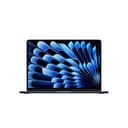
MacBook Air M5 13-inch
Best Overall₹1,01,610

HP Pavilion AI 14
Best Work Value₹67,788
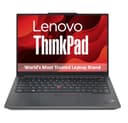
Lenovo ThinkPad E14 Gen 5
Best Enterprise₹78,813

MacBook Pro 14-inch M5 Pro
Best Creator₹2,11,779

ASUS ZenBook 14 OLED
Best Creator Value₹87,704

Lenovo Yoga Pro 7 14.5-inch OLED
Best AI Creator₹1,08,361
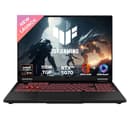
ASUS TUF A16 RTX 5070
Best Gaming₹1,69,483
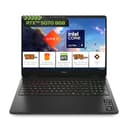
HP Omen 16 RTX 5070
Best Gaming Value₹1,58,889
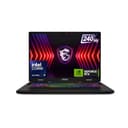
MSI Crosshair 16 HX RTX 5070
Best Gaming Display₹1,69,483

Lenovo IdeaPad Slim 3 i5-13420H
Best Student₹54,067
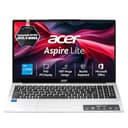
Acer Aspire Lite i5-12450H
Best Student Value₹44,059
Best Laptops for Students (₹44,000–₹57,000)
College and school use means juggling browser tabs, Google Docs, Zoom calls, and the occasional video. You need at least 16GB RAM in 2026 (8GB won't cut it with Chrome and Teams open simultaneously), an SSD for fast boot times, and a display that won't strain your eyes. All three picks here deliver that — the choice comes down to how much you value display brightness, storage space, and warranty.
Lenovo IdeaPad Slim 3 13th Gen i5-13420H

The IdeaPad Slim 3 is the student laptop to beat. The 13th Gen i5-13420H with DDR5 RAM delivers noticeably snappier performance than 12th Gen competitors — you'll feel it when switching between 15 browser tabs and a Word document. The WUXGA (1920×1200) display at 300 nits is brighter and taller than standard FHD panels, giving you more vertical space for documents. The aluminium top cover adds a premium feel rare at this price. RAM is expandable to 24GB if you need it later. The included ADP warranty covers accidental drops — a genuine differentiator for students carrying laptops to class daily.
Pros
- +13th Gen i5 with DDR5 RAM — significantly faster than 12th Gen
- +WUXGA (1920×1200) display at 300 nits — brighter and taller aspect ratio
- +Aluminium top cover — premium build quality
- +RAM expandable to 24GB for future-proofing
- +1 Year Accidental Damage Protection included
- +1.59 kg — lightest in the student segment
Cons
- -Battery life claims are exaggerated — real-world 5–7 hours
- -₹10K premium over the Acer for similar core specs
- -Some reports of open-box products being delivered
- -USB-C port lacks Thunderbolt
Score Breakdown
The best all-round student laptop in India. If you can stretch to ₹54K, the newer processor, brighter display, and ADP warranty make it worth every rupee over the cheaper Acer.
Acer Aspire Lite 12th Gen i5-12450H
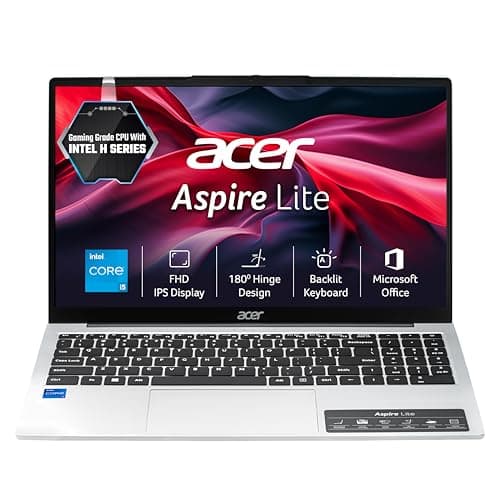
At ₹44,059, this is the cheapest way to get a laptop with 16GB RAM, a decent i5 processor, and a Gen 4 NVMe SSD. The i5-12450H is an H-series chip — it runs faster than the U-series processor in the Dell, despite being a generation older. Three USB-A ports, USB-C, HDMI, and an SD card slot give you more connectivity than most laptops at this price. MS Office 2024 bundled in saves another ₹5,000+. The trade-offs are real: the 250-nit display is dim in bright rooms, battery life is 5–6 hours at best, and Acer's service network isn't as extensive as Lenovo or Dell in tier-2 cities.
Pros
- +Best price in the student segment at ₹44,059
- +16GB LPDDR5 RAM — generous for the price
- +512GB Gen 4 NVMe SSD expandable to 1TB
- +Backlit keyboard with numeric keypad
- +Good port variety including USB-C and RJ-45 Ethernet
- +Includes MS Office 2024
Cons
- -Display is only 250 nits — dim in bright rooms
- -Battery life falls short of claims (5–6 hours real-world)
- -Sound output is weak — no Dolby
- -12th Gen processor — one generation behind the Lenovo
Score Breakdown
The laptop to buy if budget is the primary constraint. You're getting ₹55K specs at ₹44K — the display and battery are the trade-offs you're making.
Dell 15 (Inspiron 3530) 13th Gen i5-1334U

The Dell 15's standout feature is its 1TB SSD — double the storage of every other student laptop here. If you hoard lecture recordings, project files, and media, that extra 500GB matters. The 120Hz display is a nice bonus for smooth scrolling. Dell's onsite service network is the most extensive in India — if something breaks in a tier-2 city, you're covered. The downsides: it's the most expensive student pick, uses the slower U-series processor and DDR4 RAM, and the 41Wh battery is the weakest — expect 4–5 hours at best. The 3.7-star rating is also the lowest among all three picks.
Pros
- +1TB SSD — double the storage of competitors at this price
- +120Hz display — smoother scrolling and media consumption
- +Dell brand reliability and service network in India
- +Intel Iris Xe graphics — slightly better than UHD for casual use
- +1 Year Onsite Service warranty
Cons
- -Weakest battery at 41Wh — expect only 4–5 hours
- -DDR4 RAM (not DDR5) — slower memory
- -3.7-star rating — lowest among student picks
- -Most expensive student pick at ₹57K with weaker processor
Score Breakdown
Buy this if you need 1TB storage and trust Dell's service network. Skip it if battery life matters — the 41Wh cell won't get you through a full day of classes.
Best Laptops for Work & Productivity (₹68,000–₹1,02,000)
Remote work, office productivity, video calls, spreadsheets, and light creative tasks. The key differentiators here are display quality (you're staring at it 8+ hours a day), battery life (for meetings and coffee shop sessions), and build quality (daily carry). All three picks run different operating systems and target different work styles — macOS for the Apple ecosystem, Windows 11 Home with AI features, and Windows 11 Pro for enterprise environments.
Apple MacBook Air M5 13-inch (2026)
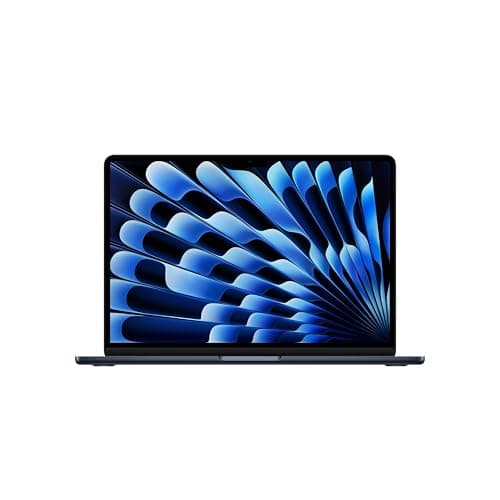
The MacBook Air M5 is the gold standard for productivity laptops in India. Nothing else at any price matches its combination of battery life (12–15 hours real-world), weight (1.24 kg), display quality (500 nits P3 wide color), and complete silence (fanless design). The M5 chip handles demanding multitasking — dozens of Safari tabs, Keynote presentations, Zoom calls — without a hiccup. Apple Intelligence adds genuinely useful AI features for writing and productivity. Wi-Fi 7 and Bluetooth 6 future-proof the connectivity. The trade-off is the Apple ecosystem: only 2 Thunderbolt ports (no USB-A), 512GB base storage feels tight at ₹1L, and no Windows compatibility for enterprise software.
Pros
- +Industry-leading 12–15 hours real-world battery life
- +Lightest laptop in the entire selection at 1.24 kg
- +Stunning Liquid Retina display with P3 wide color at 500 nits
- +Completely silent — fanless design with zero fan noise
- +Wi-Fi 7 and Bluetooth 6 — future-proof connectivity
- +12MP Center Stage camera — best webcam in the lineup
- +Thunderbolt 4 ports
Cons
- -Only 2 USB-C/Thunderbolt ports — no USB-A at all
- -512GB SSD at ₹1L feels tight — 1TB model costs significantly more
- -No Windows — limits enterprise software compatibility
- -Non-upgradable RAM and storage
Score Breakdown
If you can work in macOS, stop here. The MacBook Air M5 is the best laptop you can buy in India for everyday productivity. The battery alone justifies the premium.
HP Pavilion AI 14 (Core Ultra 5 125H)
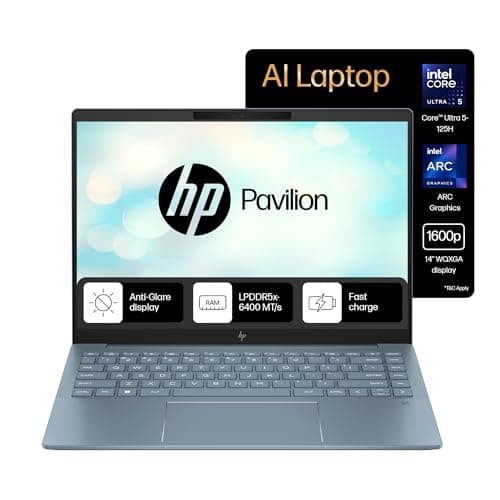
The HP Pavilion AI 14 punches absurdly above its weight class. A WQXGA (2560×1600) display at ₹68K? That's a resolution you normally find on laptops costing ₹90K+. The Core Ultra 5 125H with its built-in NPU handles AI-powered features in Windows 11 — Copilot, AI-assisted photo editing, real-time transcription — without hammering the CPU. The 68Wh battery is the largest in the work category, delivering genuine all-day endurance. The 5MP IR camera with a physical privacy shutter is the best webcam on any Windows laptop here. The main weakness: only 1-year warranty compared to the ThinkPad's 3 years.
Pros
- +Best value in the work category at ₹67,788
- +WQXGA (2560×1600) display — sharpest screen at this price
- +68Wh battery — largest in the work lineup
- +Intel Core Ultra 5 with AI NPU — future-proof for AI features
- +LPDDR5x 6400MHz — fastest memory in this selection
- +5MP IR camera with physical shutter — excellent for video calls
- +Thunderbolt 4 port
Cons
- -Only 1-year warranty vs. ThinkPad's 3 years
- -Non-upgradable RAM (soldered LPDDR5x)
- -Some quality control complaints in Amazon reviews
- -300 nits brightness — could be better for outdoor use
Score Breakdown
The best Windows laptop for work under ₹70K. The WQXGA display and 68Wh battery alone justify the price — the Core Ultra 5 NPU is a bonus for the AI-powered future.
Lenovo ThinkPad E14 Gen 5 i5-1335U
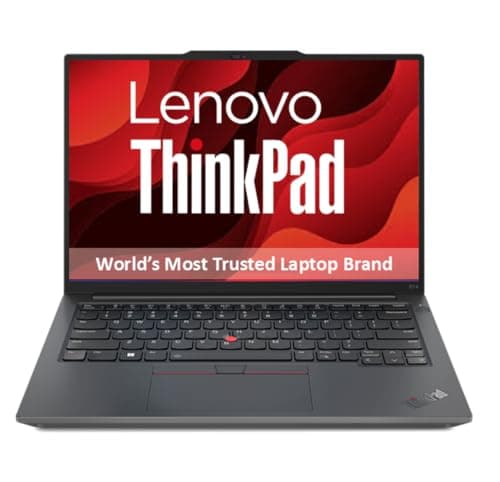
The ThinkPad E14 isn't the fastest or flashiest laptop here — it's the most *reliable*. MIL-STD-810H military-grade testing means it's been subjected to temperature extremes, humidity, vibration, and drops. Windows 11 Pro is essential if your company uses Active Directory, BitLocker, or Group Policy. The 3-year Premier Support warranty is the best in this entire roundup — Lenovo sends a technician to your location. The port selection is the most comprehensive: Thunderbolt 4, HDMI 2.1, USB-C with Power Delivery, USB-A, and RJ-45 Ethernet. RAM is expandable to 40GB for heavy workloads. Where it falls behind: DDR4 memory is slower, the 47Wh battery is modest, and the 300-nit display won't win any brightness awards.
Pros
- +MIL-STD-810H military-grade durability testing
- +Windows 11 Pro — essential for business/enterprise use
- +3-year Premier Support — best warranty in the selection
- +Thunderbolt 4 + HDMI 2.1 + RJ-45 — most comprehensive ports
- +RAM expandable to 40GB for future-proofing
- +Fingerprint reader for quick secure login
- +1.41 kg — very portable for a 14-inch business laptop
Cons
- -DDR4 RAM (not DDR5) — slower memory
- -47Wh battery — smallest in the work category
- -300 nits display — not great for outdoor use
- -Only 512GB storage (though expandable)
Score Breakdown
The laptop for professionals who need enterprise features above everything else. Windows 11 Pro, Thunderbolt 4, MIL-STD durability, Ethernet, fingerprint reader, and 3-year onsite warranty — no other laptop here comes close on business essentials.
Best Gaming Laptops (₹1,59,000–₹1,70,000)
All three picks run NVIDIA's RTX 5070 GPU with 8GB GDDR7 — the sweet spot for 1440p gaming in 2026. At this performance tier, the differentiators are RAM, display panel, battery size, and warranty. If you're looking for budget gaming laptops with RTX 5060/4060, that's a different category — these are for gamers who want to run AAA titles at high settings without compromise.
ASUS TUF A16 RTX 5070 (Ryzen 9 8940HX)
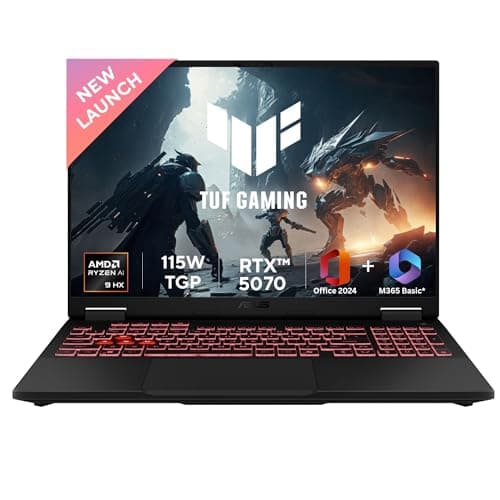
The ASUS TUF A16 is the gaming laptop to buy in 2026. The RTX 5070 runs at 115W TGP (100W base + 15W dynamic boost) — that's near full desktop-class power from a laptop GPU. The Ryzen 9 8940HX with 16 cores and 32 threads handles everything from gaming to streaming to rendering. The 2.5K QHD+ (2560×1600) display at 165Hz hits the perfect balance: high enough resolution for sharp visuals, high enough refresh for smooth gameplay. The 90Wh battery is massive for a gaming laptop — expect 6–8 hours for light use. At 4.7 stars from 30 reviews, it has the highest rating among gaming picks. The only real weakness: 16GB RAM (the HP Omen gives you 32GB at a lower price).
Pros
- +Best price for RTX 5070 at ₹1,69,483 with top-tier specs
- +Ryzen 9 8940HX with 16 cores/32 threads — handles everything
- +115W TGP on the RTX 5070 — near full power
- +90Wh battery — excellent for a gaming laptop
- +2.5K QHD+ 165Hz display — great balance of resolution and refresh
- +RAM expandable to 64GB
Cons
- -Only 16GB RAM — competitors offer 32GB at this price
- -Only 1-year warranty
- -2.2 kg — not the lightest gaming option
- -Wi-Fi 6E only (not Wi-Fi 7)
Score Breakdown
The best RTX 5070 gaming laptop in India on sheer value. If 16GB RAM is enough for now (you can upgrade later), this is the one to buy.
HP Omen 16 RTX 5070 (Core Ultra 9 285H)
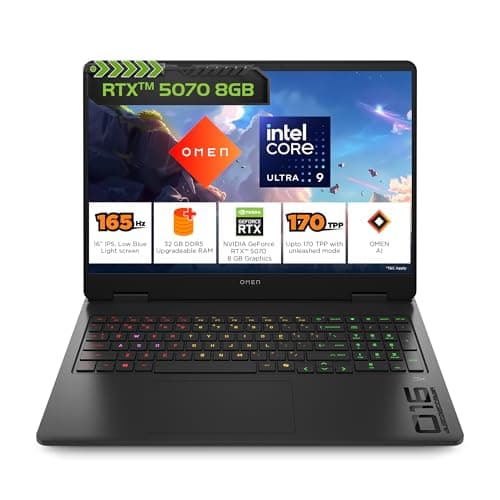
The HP Omen 16 is ₹10,594 cheaper than the ASUS TUF *and* comes with 32GB DDR5 RAM — double the TUF's 16GB. For gamers who stream on Twitch, run Discord + Chrome while gaming, or play memory-hungry titles like Cities Skylines 2, that extra RAM makes a real difference today. The Core Ultra 9 285H is Intel's top gaming processor with 16 cores. The 4-zone RGB keyboard with 26-key anti-ghosting is built for competitive play. A 1080p FHD webcam and RJ-45 Ethernet port add practical value for streaming and competitive gaming. The trade-off: the display is only WUXGA (1920×1200) — noticeably less sharp than the TUF's 2.5K or the MSI's QHD+ panels.
Pros
- +Cheapest gaming pick at ₹1,58,889
- +32GB DDR5 RAM — double the TUF and MSI
- +Intel Core Ultra 9 285H — top Intel gaming processor
- +4-zone RGB keyboard with 26-key rollover anti-ghosting
- +1080p FHD webcam — best webcam in gaming category
- +RJ-45 Ethernet — important for competitive gaming
Cons
- -Only WUXGA (1920×1200) display — no QHD+
- -70Wh battery — smallest among gaming picks
- -Heaviest at 2.42 kg
- -Only Wi-Fi 6 (not 6E or 7)
Score Breakdown
Buy this if you need 32GB RAM now and want to spend the least. The WUXGA display is the main sacrifice — you'll notice the lower resolution in open-world games.
MSI Crosshair 16 HX RTX 5070 (Core Ultra 9 275HX)
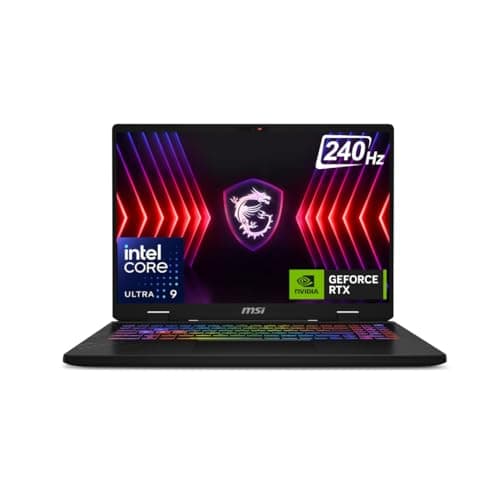
The MSI Crosshair has the best display in the gaming category by a significant margin: QHD+ resolution at 240Hz. That's 75Hz more than the TUF and a full resolution tier above the HP Omen. For competitive FPS players who need every frame advantage at high resolution, nothing else here matches it. The Core Ultra 9 275HX is Intel's latest HX-series desktop-class mobile chip. The 2-year on-site warranty is the best among gaming picks — MSI will send a technician to fix it rather than making you ship the laptop. The 90Wh battery matches the TUF for best endurance. The downsides: only 16GB base RAM (like the TUF), MSI's service network is smaller than ASUS/HP in India, and at 2.5 kg it's the heaviest option.
Pros
- +Best gaming display: QHD+ 240Hz — ideal for competitive gaming
- +2-year on-site warranty — best warranty among gaming picks
- +90Wh battery — tied for best in gaming category
- +Core Ultra 9 275HX — latest Intel desktop-class mobile chip
- +RAM expandable to 64GB
- +Thunderbolt port included
Cons
- -Only 16GB RAM base (vs HP Omen's 32GB)
- -Heaviest gaming pick at 2.5 kg
- -No included Office software
- -MSI has smaller service network in India vs ASUS/HP
Score Breakdown
The pick for competitive gamers who want the best display. 240Hz at QHD+ resolution is the gold standard for high-framerate 1440p gaming. The 2-year warranty adds peace of mind.
Best Laptops for Content Creation (₹88,000–₹2,12,000)
Photo editing, video editing, graphic design, and 3D work demand two things above all: an accurate, high-resolution display and enough processing power to handle large files. OLED panels with DCI-P3 color coverage are the minimum standard for serious color work. The price range here is wide because the gap between a hobbyist photo editor and a professional video editor is massive. Pick based on your actual workflow — most photographers don't need the MacBook Pro's M5 Pro chip.
Apple MacBook Pro 14-inch M5 Pro
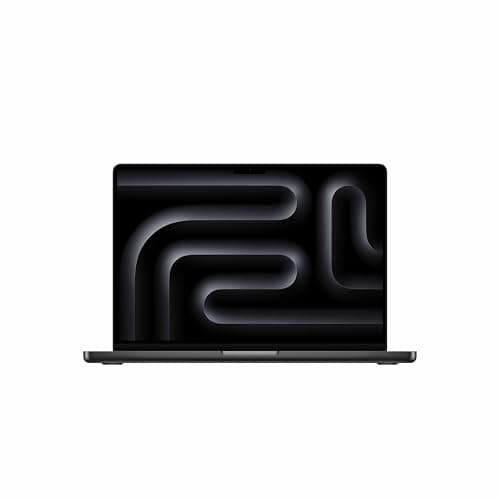
The MacBook Pro M5 Pro is built for professionals who make money from their creative work. The Liquid Retina XDR display with 1,600 nits peak HDR brightness and 10,00,000:1 contrast ratio is the best display on any laptop — period. The M5 Pro chip handles 8K ProRes video editing, large RAW photo batches, and 3D rendering without thermal throttling. Three Thunderbolt 5 ports deliver the fastest external connectivity available — connect high-speed RAID arrays or eGPUs without bottlenecks. The built-in SD card slot eliminates the need for dongles when importing from cameras. 24GB unified memory is efficiently shared between CPU and GPU, making it more effective than the number suggests. The price is steep at ₹2.12L, but for working professionals, the productivity gains pay for themselves.
Pros
- +Most powerful creator laptop — M5 Pro handles 8K ProRes and AI workloads
- +Best display available: Liquid Retina XDR with 1600 nits HDR peak
- +Thunderbolt 5 — fastest external connectivity on any laptop
- +SD card slot — essential for photographers and videographers
- +24GB Unified Memory — efficient for creative apps
- +Silent under most workloads
- +macOS ecosystem with Final Cut Pro, Logic Pro, etc.
Cons
- -Most expensive pick at ₹2,11,779
- -Non-upgradable RAM and storage
- -No Windows — limits software options for some workflows
- -No touchscreen
- -Only 2 reviews on Amazon — limited real-world validation
Score Breakdown
The professional creator's machine. If you edit video for a living, photograph commercially, or do 3D work, the M5 Pro with its XDR display and Thunderbolt 5 is worth the investment.
ASUS ZenBook 14 OLED (Core Ultra 5 225H)
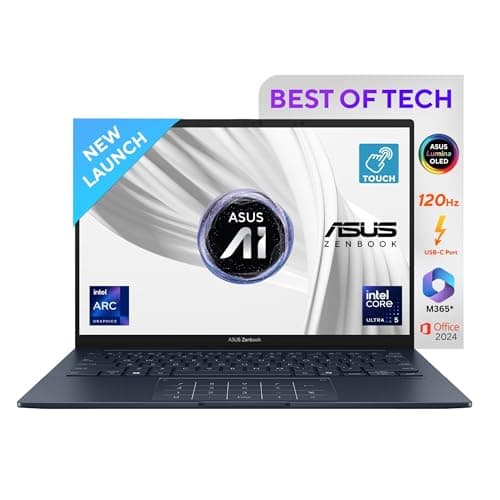
The ZenBook 14 OLED is the best creator laptop under ₹1 lakh — and it's not even close. The 3K OLED touchscreen with 100% DCI-P3 color coverage delivers the kind of color accuracy that photographers and designers need for professional work. The touchscreen adds a tactile dimension for creative workflows — pinch to zoom on photos, scrub through timelines, annotate designs. At 1.28 kg, it's lighter than the MacBook Air. The 75Wh battery delivers 10–14 hours of real-world use. Wi-Fi 7 is the most advanced wireless connectivity in this selection. The 1TB SSD gives you room for project files. The limitation: integrated graphics mean heavy 4K video editing and 3D rendering will be slow — this is for photographers, designers, and light video editors, not DaVinci Resolve power users.
Pros
- +Stunning 3K OLED touchscreen — 100% DCI-P3, perfect for photo editing
- +Lightest in the content creation category at 1.28 kg
- +75Wh battery — 10–14 hours real-world endurance
- +Wi-Fi 7 — most advanced connectivity
- +1TB SSD included — no storage upgrade needed
- +Touchscreen for creative workflows
- +500 nits HDR peak brightness
Cons
- -Integrated graphics — limits heavy 4K video editing and 3D work
- -Glossy OLED — reflective in bright environments
- -Non-upgradable RAM (16GB soldered)
- -OLED burn-in risk with static content over time
Score Breakdown
The best OLED laptop under ₹1 lakh for photographers and designers. If your workflow is Lightroom, Photoshop, Figma, or Canva — not heavy video editing — this is the perfect balance of display quality, portability, and price.
Lenovo Yoga Pro 7 14.5-inch OLED (Ryzen AI 9 365)
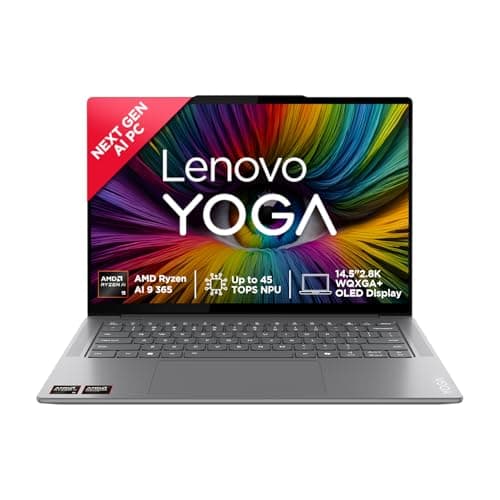
The Yoga Pro 7 is the best Windows alternative to the MacBook Pro for creators — and at half the price. The 32GB RAM is a genuine advantage for Premiere Pro timelines, large Photoshop files, and running multiple creative apps simultaneously. The Ryzen AI 9 365 with its 50 TOPS NPU is the most AI-capable Windows processor here — generative AI features in Adobe apps, AI-powered noise reduction, and upscaling all run faster. The 2.8K OLED with DCI-P3 and DisplayHDR True Black 500 is excellent for color-critical work. Four Dolby Atmos speakers deliver the best audio in the creator lineup. The Dragontrail glass on the display adds durability. The concern: the 3.4-star aggregated rating on Amazon is the lowest among all 12 picks — though this reflects variant-level issues across the Yoga family, not this specific model.
Pros
- +32GB RAM — most among Windows creator picks
- +2.8K OLED with 100% DCI-P3 and True Black 500
- +Ryzen AI 9 365 with 50 TOPS NPU — best AI processing for Windows
- +4 stereo speakers with Dolby Atmos — best audio in the creator lineup
- +Full aluminium build with Dragontrail glass display protection
- +1-year ADP + Premium Care — comprehensive warranty
Cons
- -3.4-star aggregated rating — lowest among all picks
- -Battery life is mediocre at 5–7 hours despite 73Wh
- -Non-upgradable RAM (soldered)
- -Integrated graphics only — limits heavy rendering
- -Heavier than ZenBook at 1.54 kg
Score Breakdown
The best Windows creator laptop for AI-powered workflows. If you need 32GB RAM and the most AI-capable NPU on Windows — and don't want to pay MacBook Pro prices — this is the pick.
Comparison Tables
Students
| Spec | Lenovo IdeaPad Slim 3 | Acer Aspire Lite | Dell 15 |
|---|---|---|---|
| Score | 8.0 | 7.8 | 7.4 |
| Price | ₹54,067 | ₹44,059 | ₹57,337 |
| Processor | i5-13420H (13th Gen) | i5-12450H (12th Gen) | i5-1334U (13th Gen, U-series) |
| RAM | 16GB DDR5 (exp. 24GB) | 16GB LPDDR5 | 16GB DDR4 |
| Storage | 512GB SSD | 512GB SSD | 1TB SSD |
| Display | 15.3" WUXGA 300 nit | 15.6" FHD 250 nit | 15.6" FHD 120Hz |
| Battery | 50Wh | 54Wh | 41Wh |
| Weight | 1.59 kg | 1.7 kg | 1.62 kg |
| Warranty | 1Y ADP + Onsite | 1Y Manufacturer | 1Y Onsite |
| Rating | 4.1★ | 4.0★ | 3.7★ |
Work & Productivity
| Spec | MacBook Air M5 | HP Pavilion AI 14 | ThinkPad E14 Gen 5 |
|---|---|---|---|
| Score | 9.2 | 8.1 | 7.9 |
| Price | ₹1,01,610 | ₹67,788 | ₹78,813 |
| Processor | Apple M5 (10C CPU) | Core Ultra 5 125H (14C) | i5-1335U (10C) |
| RAM | 16GB Unified | 16GB LPDDR5x | 16GB DDR4 (exp. 40GB) |
| Storage | 512GB SSD | 512GB SSD | 512GB SSD |
| Display | 13.6" Retina 2560×1664, 500 nit | 14" WQXGA 2560×1600, 300 nit | 14" WUXGA 300 nit |
| Battery | 53.8Wh (~18hr) | 68Wh | 47Wh |
| Weight | 1.24 kg | 1.44 kg | 1.41 kg |
| Warranty | 1Y Apple | 1Y Manufacturer | 3Y Premier Support |
| Ports | 2× TB4, MagSafe | TB4, USB-C, 2× USB-A, HDMI | TB4, USB-C, USB-A, HDMI, RJ-45 |
Gaming
| Spec | ASUS TUF A16 | HP Omen 16 | MSI Crosshair 16 HX |
|---|---|---|---|
| Score | 8.8 | 8.5 | 8.3 |
| Price | ₹1,69,483 | ₹1,58,889 | ₹1,69,483 |
| Processor | Ryzen 9 8940HX (16C/32T) | Core Ultra 9 285H (16C/16T) | Core Ultra 9 275HX |
| GPU | RTX 5070 115W TGP | RTX 5070 | RTX 5070 |
| RAM | 16GB DDR5 | 32GB DDR5 | 16GB DDR5 |
| Display | 16" 2.5K 165Hz | 16" FHD+ 165Hz 3ms | 16" QHD+ 240Hz |
| Battery | 90Wh | 70Wh | 90Wh |
| Weight | 2.2 kg | 2.42 kg | 2.5 kg |
| Warranty | 1Y Global + Onsite | 1Y Manufacturer | 2Y On-Site |
| Rating | 4.7★ | 4.5★ | 4.4★ |
Content Creation
| Spec | MacBook Pro M5 Pro | ASUS ZenBook 14 OLED | Lenovo Yoga Pro 7 |
|---|---|---|---|
| Score | 9.0 | 8.4 | 7.8 |
| Price | ₹2,11,779 | ₹87,704 | ₹1,08,361 |
| Processor | M5 Pro (15C CPU) | Core Ultra 5 225H (14C) | Ryzen AI 9 365 (10C, 50 TOPS NPU) |
| RAM | 24GB Unified | 16GB LPDDR5X | 32GB LPDDR5x |
| Storage | 1TB SSD | 1TB SSD | 1TB SSD |
| Display | 14.2" XDR 3024×1964, 1600 nit HDR | 14" 3K OLED Touch, 500 nit HDR | 14.5" 2.8K OLED, 400 nit |
| Battery | All-day | 75Wh (~18hr) | 73Wh (~7hr) |
| Weight | 1.6 kg | 1.28 kg | 1.54 kg |
| Color | P3 wide | 100% DCI-P3 | 100% DCI-P3 |
| Rating | 5.0★ (2 reviews) | 4.2★ | 3.4★ |
How We Score
| Criterion | Weight | Based On |
|---|---|---|
| Performance | 30% | Processor benchmarks, RAM speed and capacity, SSD speed, real-world multitasking capability |
| Display Quality | 20% | Resolution, color accuracy (sRGB/DCI-P3), brightness (nits), refresh rate, panel type (IPS/OLED) |
| Build & Portability | 15% | Weight, thickness, build materials, keyboard quality, port selection, durability certifications |
| Battery Life | 15% | Battery capacity (Wh), manufacturer claims vs. real-world user reports from Amazon reviews |
| Value for Money | 20% | Price-to-spec ratio, included software (Office, McAfee), warranty length and type, competitive positioning |
Scores are weighted averages. Products within each category are compared against each other, not across categories — a 7.8 in Students reflects a different absolute performance level than 7.8 in Gaming. All prices are as listed on Amazon.in at the time of research (April 2026) and may fluctuate.
Need help choosing?
Not sure which category fits your needs? Our laptop buying guide breaks down processors, RAM, storage, and display types so you can make an informed decision.
Browse all laptop guides →→Frequently Asked Questions
The Acer Aspire Lite i5-12450H at ₹44,059 is the best student laptop under ₹50,000. It gives you 16GB LPDDR5 RAM, a 512GB Gen 4 NVMe SSD, an Intel i5 H-series processor, and includes MS Office 2024. The main trade-offs are a dim 250-nit display and 5–6 hour battery life. If you can stretch to ₹54,067, the Lenovo IdeaPad Slim 3 offers a brighter 300-nit WUXGA display, newer 13th Gen processor, and accidental damage protection.
Yes — if you can work in macOS. At ₹1,01,610, the MacBook Air M5 delivers 12–15 hours of real-world battery life, a stunning Liquid Retina display, completely silent fanless operation, and weighs just 1.24 kg. No Windows laptop matches this combination. The catch: only 2 USB-C ports (no USB-A), 512GB base storage, and no Windows software compatibility. If your workflow is web-based or you're already in the Apple ecosystem, it's the best productivity laptop you can buy.
The HP Omen 16 at ₹1,58,889 is the cheapest RTX 5070 laptop with 32GB DDR5 RAM. The ASUS TUF A16 at ₹1,69,483 offers a better 2.5K 165Hz display, 90Wh battery, and a higher 4.7-star rating — but only 16GB RAM. If display quality and battery matter more than RAM, go with the TUF. If you need 32GB now, the Omen is ₹10K cheaper.
The ASUS ZenBook 14 OLED at ₹87,704 is the best value — 3K OLED touchscreen with 100% DCI-P3 color accuracy, 1.28 kg weight, and 75Wh battery. It handles Lightroom, Photoshop, and Figma well. For heavy video editing (4K/8K, DaVinci Resolve, After Effects), the MacBook Pro M5 Pro at ₹2,11,779 is the only option with enough GPU power and the best XDR display at 1,600 nits HDR.
DDR5 is preferred. It offers 30–50% faster data transfer speeds, better power efficiency, and is the standard going forward. Among our picks, the Dell 15 (DDR4) and ThinkPad E14 (DDR4) use older memory — both are still capable for their use cases, but if future-proofing matters, the Lenovo IdeaPad Slim 3 (DDR5) and HP Pavilion AI (LPDDR5x) are better choices at similar prices.