
Best Graphic Tablets for Digital Art in India (2026)
Best Graphic Tablets for Digital Art in India — researched and ranked on accuracy, sensitivity, build, and compatibility. 8 expert picks from ₹2,064 to ₹41,749.
We may earn a commission when you buy through links on this page, at no extra cost to you. We could also earn a fee through some links when you click on them. Learn more
The best graphic tablet for digital art in India is the Huion Kamvas 16 Gen 3 Pen Display (₹41,749) — a 15.8-inch 2.5K QHD screen at 99% sRGB with 16384 pressure levels, letting you draw straight onto anti-sparkle laminated glass with minimal parallax. We researched and compared 8 top options available on Amazon.in, scoring each on accuracy, sensitivity, build, compatibility, value. These are pen-input drawing tablets, not general-purpose screens — if you need a portable device for classes or media, see our budget tablets for students or tablets under 30000. Prefer reading over drawing? An e-reader offers a paper-like experience that's easier on the eyes.
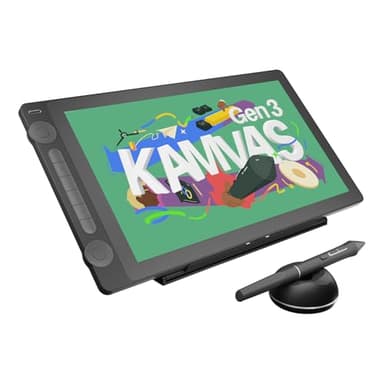
Huion Kamvas 16 Gen 3 Pen Display
Huion's flagship pen display pairs a 15.8-inch 2.5K QHD screen at 99% sRGB with 16384 pressure levels via PenTech 4.0, letting artists draw straight onto anti-sparkle laminated glass with minimal parallax.
At a Glance
Detailed Reviews
Huion Kamvas 16 Gen 3 Pen Display
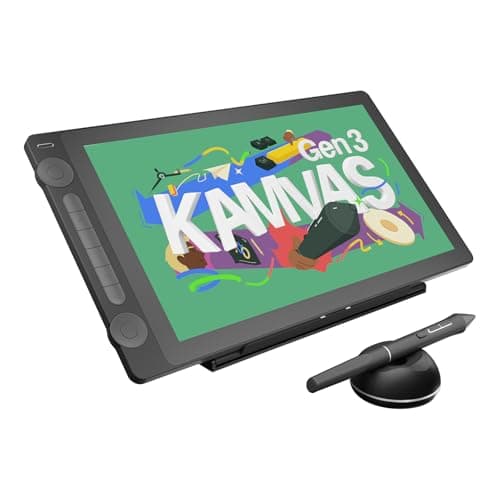
This is Huion's top-tier pen display, combining a 15.8-inch 2.5K QHD screen at 99% sRGB with 16384 pressure levels and PenTech 4.0, so you draw directly on anti-sparkle laminated glass rather than a separate pad. Dual dial controls plus Mac, PC and Android support make it suited to serious illustrators chasing the most precise pen-to-canvas feel in this lineup, provided they pair it with a capable computer.
Pros
- +Stunning 2.5K QHD display
- +latest PenTech 4.0
- +minimal parallax
- +99% sRGB
- +dual dial controls
Cons
- -Most expensive
- -needs powerful computer
- -not portable
Score Breakdown
The one to reach for if colour-accurate on-screen drawing matters more than the ₹41,749 outlay, though it is the priciest here and needs a powerful computer to drive it.
XP-Pen Deco Fun L Graphics Tablet
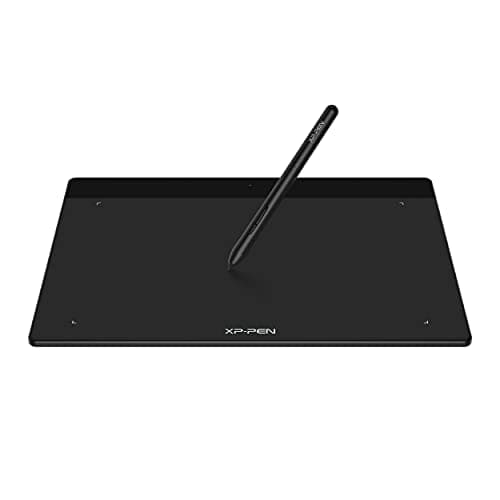
The Deco Fun L gives beginners a generously sized 10 x 6 inch drawing surface with 8192 pressure levels and 60-degree tilt for ₹4,300. Its battery-free stylus and plug-and-play Android support make it a roomy, low-fuss choice for sketching and detailed line work without spending much.
Pros
- +Large 10x6 area at budget price
- +tilt support
- +good for detailed work
Cons
- -No shortcut keys
- -basic pen
- -limited customization
Score Breakdown
Worth picking for the large active area at a low price, as long as you can live without shortcut keys and deeper pen customization.
XP-Pen Deco Fun S Graphics Tablet
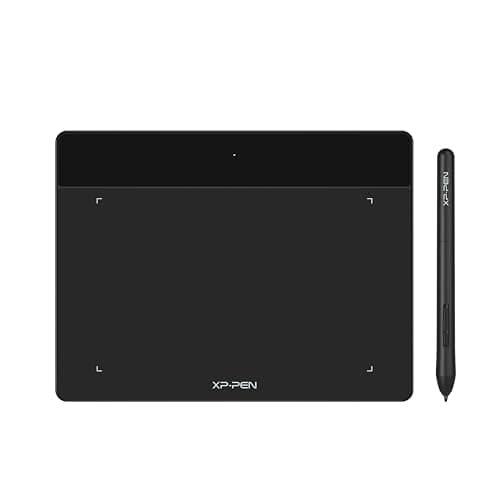
XP-Pen's Deco Fun S shrinks the same 8192-pressure, 60-degree-tilt formula into a compact 6 x 4 inch pad that costs just ₹2,799 and comes in several colours. It suits newcomers and students who want a genuine tilt-capable tablet for casual drawing on Android or Chrome OS.
Pros
- +Affordable with tilt support
- +colorful design options
- +good for beginners
Cons
- -Small working area
- -no shortcut keys
- -basic feature set
Score Breakdown
A sensible entry point for beginners on a tight budget, provided the small working area and lack of shortcut keys are not dealbreakers.
XP-Pen Deco Mini7 V2 Drawing Tablet
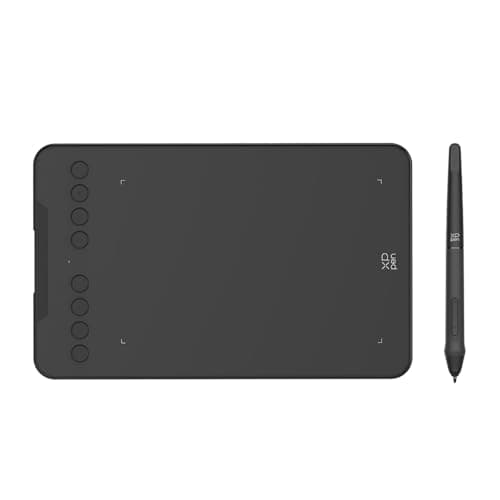
The Deco Mini7 V2 packs the lineup's finest 16384-level pressure sensitivity into a 7 x 4 inch pad, adds 8 programmable shortcut keys and offers an optional Bluetooth model, all for ₹3,399. That mix of fine control and a battery-free tilt pen makes it a capable choice for detailed work in a portable form.
Pros
- +Highest 16384 pressure sensitivity
- +8 shortcut keys
- +tilt support
- +wireless option available
Cons
- -Smaller working area than Deco 01 V3
- -wireless costs more
- -compact size limits large illustrations
Score Breakdown
Recommended if you want the highest pressure resolution and physical shortcut keys on a budget, accepting that the compact surface limits large-format illustrations.
Huion Kamvas 13 Pen Display
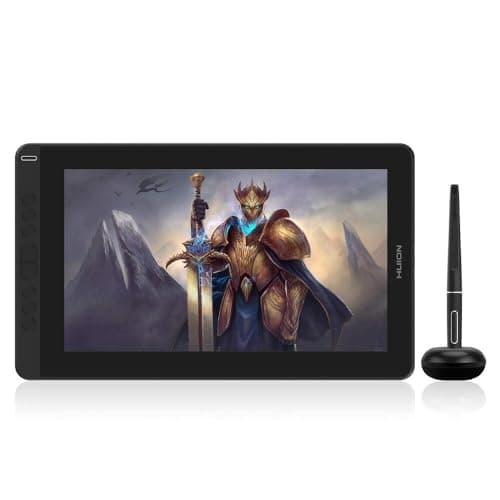
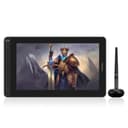
The Kamvas 13 brings on-screen drawing to a more reachable ₹18,079, with a 13.3-inch full-laminated Full HD IPS panel, 8192 pressure levels, 8 shortcut keys and an included adjustable stand. It fits artists ready to move up from a graphics pad to a proper pen display without paying flagship money.
Pros
- +Draw directly on screen
- +laminated display reduces parallax
- +good color accuracy
- +adjustable stand
Cons
- -Premium price
- -requires computer connection
- -needs desk space
Score Breakdown
A strong step-up buy for drawing directly on a laminated screen with reduced parallax, if you have the desk space and a computer to connect it to.
Wacom Intuos CTL-4100 Graphics Tablet
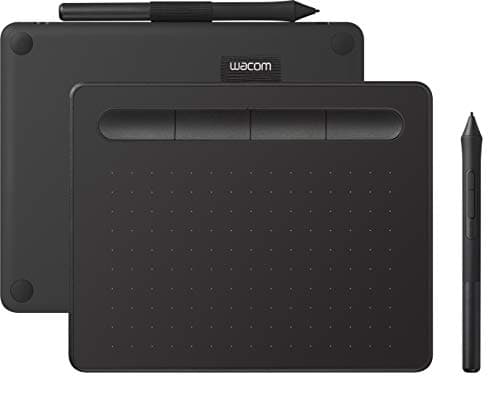
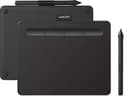
Wacom's Intuos CTL-4100 leans on the brand's build quality and driver stability, offering a 7.8 x 6.3 inch battery-free-pen tablet with tilt recognition, 4 ExpressKeys and a bundled creative software pack for ₹5,179. It suits buyers who prize reliability and pen accuracy over raw pressure numbers.
Pros
- +Professional-grade build
- +superior pen accuracy
- +free software bundle
- +best driver stability
- +excellent support
Cons
- -Higher price
- -no Bluetooth in base model
- -lower pressure than competitors
Score Breakdown
Buy it for the dependable Wacom drivers, accurate pen and software bundle, keeping in mind its 4096 pressure levels sit below cheaper rivals and the base model skips Bluetooth.
Wacom Intuos Bluetooth CTL-4100WL
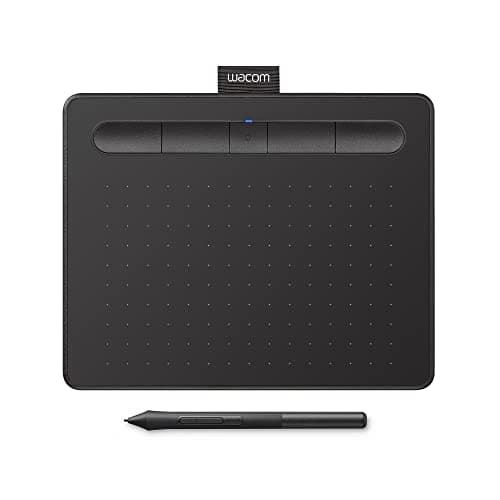
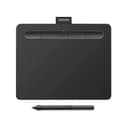
This is the wireless take on Wacom's Intuos, adding Bluetooth to the same 7.8 x 6.3 inch surface, 4096 pressure levels, 4 ExpressKeys and creative software bundle for ₹8,759. It appeals to artists who want to draw cable-free with Wacom's well-regarded support behind them.
Pros
- +Wireless Bluetooth freedom
- +premium Wacom quality
- +excellent software bundle
- +best-in-class support
Cons
- -Premium pricing
- -lower pressure levels than budget alternatives
Score Breakdown
Choose it if untethered Bluetooth drawing and Wacom's polish are worth ₹8,759, even though the pressure levels trail cheaper tablets here.
Huion HS64 Graphics Drawing Tablet
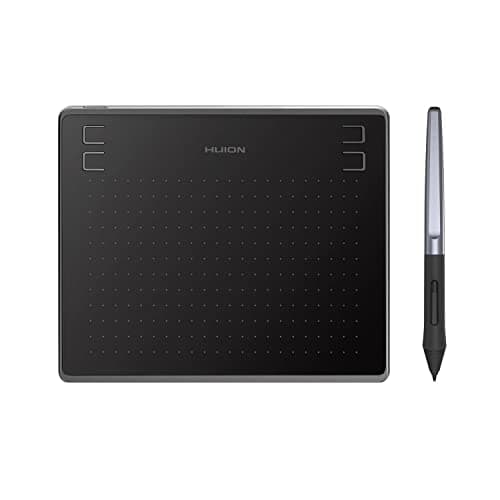
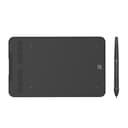
The Huion HS64 is the cheapest tablet in this roundup at ₹2,064, pairing a compact 6.3 x 4 inch surface with 8192 pressure levels, a battery-free pen and 4 customizable press keys in an 8mm-thin body. It targets first-time artists and note-takers who want a portable, no-frills way into drawing on Android or desktop.
Pros
- +Most affordable at ₹2,064
- +great for beginners
- +ultra-portable
- +reliable Huion brand
Cons
- -Smaller working area
- -only 4 shortcut keys
- -not ideal for professional work
- -no tilt support
Score Breakdown
Hard to beat as an ultra-cheap starter tablet, but the small surface, four keys and absence of tilt support hold it back from serious professional work.
Comparison Table
| Feature | Huion | XP-Pen | XP-Pen | XP-Pen | Huion |
|---|---|---|---|---|---|
| Price | ₹41,749 | ₹4,300 | ₹2,799 | ₹3,399 | ₹18,079 |
| Rating | 4.6/5 | 4.3/5 | 4/5 | 4.4/5 | 4.4/5 |
| Key Feature 1 | 15.8 inch 2.5K QHD display | 10 x 6 inch large working area | 6 x 4 inch working area | 7 x 4 inch working area | 13.3 inch Full HD IPS display |
| Key Feature 2 | 16384 pressure levels (PenTech 4.0) | 8192 pressure levels | 8192 pressure levels | 16384 levels pressure sensitivity | 8192 pressure sensitivity |
| Key Feature 3 | Full laminated anti-sparkle glass | 60 degree tilt support | 60 degree tilt support | Battery-free pen with 60 degree tilt | Full laminated screen |
How We Research & Rank
| Criterion | Weight | Based On |
|---|---|---|
| Accuracy | 30 | Line precision and straightness, cursor offset from pen tip, corner-to-corner tracking consistency across the active area, diagonal line wobble at slow speeds, and parallax on pen displays (gap between pen tip and on-screen cursor) |
| Sensitivity | 25 | Pressure levels (8192 vs 16384), tilt recognition range and responsiveness, initial activation force (lightest detectable stroke), pressure curve consistency from feather-light to full-press, and pen hover detection height |
| Build | 20 | Active drawing area size, surface texture and pen friction (paper-like feel vs slippery), pen weight and grip comfort for extended sessions, tablet thickness and portability, included pen nibs and replacement availability in India, and display quality on pen displays (colour accuracy, lamination, anti-glare) |
| Compatibility | 15 | Driver support for Windows, macOS, Linux, and Android/iOS, plug-and-play reliability, compatibility with Photoshop, Clip Studio Paint, Krita, and Blender, multi-monitor setup handling, and shortcut key/dial customisation in driver software |
| Value | 10 | Price relative to active area size and pressure levels, included accessories (pen stand, glove, extra nibs), warranty and brand service centres in India, and upgrade path within the brand ecosystem |
Accuracy and pressure sensitivity together make up over half the score because they directly determine how natural and precise your strokes feel — everything else is secondary if the pen-to-canvas experience isn't right.
Frequently Asked Questions
Based on our analysis, the Huion Kamvas 16 Gen 3 Pen Display is the best overall pick, scoring highest on accuracy and sensitivity.
Focus on accuracy, sensitivity, build as the most important factors. Our methodology section above explains each criterion in detail.