
Best Monitors in India for Work & Everyday Use (2026)
9 best monitors in India for work and everyday use, from ₹7,499 to ₹31,490 — ranked on picture quality, reliability, ergonomics and value.
We may earn a commission when you buy through links on this page, at no extra cost to you. We could also earn a fee through some links when you click on them. Learn more
The best monitor in India for work and everyday use is the BenQ EW2790U 27-inch 4K (₹31,490) — a 4K IPS panel with real 65W USB-C charging and the cleanest review record here. On a tight budget, the LG 24U411A-BN (₹7,499) is the cheapest sharp screen in this roundup.
A good desk monitor needs sharp text, honest colour, a stand that fits your eyeline, and a healthy recent-review record. These nine picks span ₹7,499 to ₹31,490 for office, study, WFH and media use. If you game competitively instead, see our best gaming monitors in India, which rank on refresh rate and response time.
Short on desk space or always travelling? A portable monitor packs a second screen into your laptop bag.
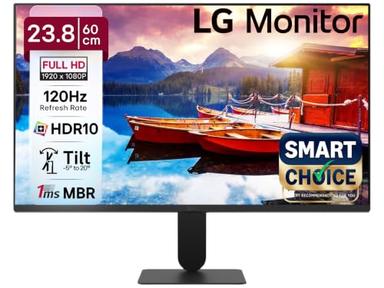
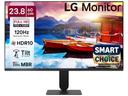
LG 24U411A-BN 24-inch FHD IPS
The cheapest screen in this roundup, and a smart first monitor. The 23.8-inch size is the sweet spot for sharp text, and 120Hz keeps scrolling smooth. There is budget QC risk: 27% of recent reviews are negative. Buyers cite dead-on-arrival units and a yellow tint on some panels. Inspect it the day it arrives, within the return window.
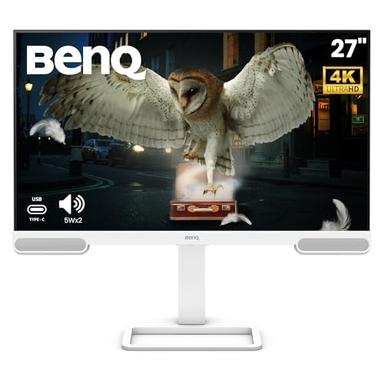
BenQ EW2790U 27-inch 4K UHD IPS
A 4K IPS panel with 95% DCI-P3 colour and 350-nit brightness, the brightest here. The 65W USB-C charging works over one cable, and the stand adjusts every way. Just 6% of its recent India reviews are negative — the cleanest record in this research. The trade-offs are a plain 60Hz refresh and a premium price.
ProductHunter.in compared nine general-purpose monitors for office, study, WFH and media use, priced from ₹7,499 to ₹31,490. We scored each on picture quality, reliability, ergonomics and value. The last 100 verified India reviews weighed heavily, because recent stock is what you actually receive. This is deliberately not a gaming rubric: refresh rate counts only as baseline smoothness, not the headline.
At a Glance
Budget Picks (Under ₹15,000)
Under ₹15,000 you are choosing a first monitor, a second screen, or a basic office display. FHD is the norm and stands are tilt-only. Here, a clean recent-review record matters more than the spec sheet. Budget panels are where most dead-on-arrival and dead-pixel complaints cluster. Pair one with a budget laptop and you have a full desk for little money.
Acer SA272 P1 27-inch FHD IPS
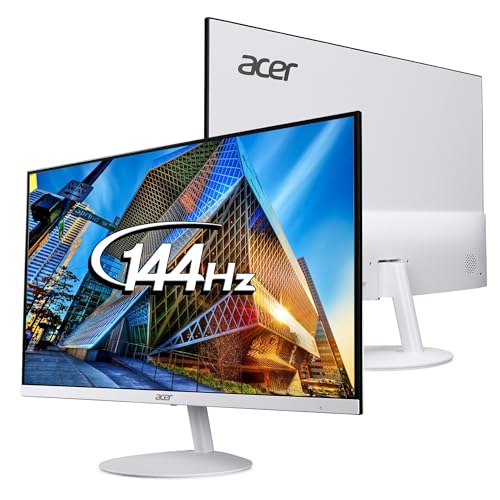
The most dependable budget screen here. Among sub-₹10,000 picks, its recent reviews are the cleanest — just 17% negative, against 23–27% for its rivals. You also get a fast 144Hz refresh and 1ms response on a 27-inch IPS panel. Its colour is a true 99% sRGB once the NTSC spec is read correctly. The cost-cutting shows in HDMI-plus-VGA only and a fixed tilt-only stand.
Specifications
| Screen Size | 27 inches |
|---|---|
| Resolution | 1920 x 1080 (FHD) |
| Panel Type | IPS |
| Colour Gamut | 99% sRGB (72% NTSC) |
| Brightness | 250 nits |
| Refresh Rate | 144 Hz |
| Response Time | 1ms VRB |
| USB-C Power Delivery | None |
| Stand Adjustability | Tilt-only |
| Built-in Speakers | Yes |
| Warranty | 3 Year Manufacturer |
Pros
- +144Hz refresh with 1ms response — fast for a budget panel
- +Cleanest recent review record in the budget tier (17% negative)
- +99% sRGB colour and a slim 7.2mm profile
- +AMD FreeSync and built-in speakers
- +3-year manufacturer warranty
Cons
- -HDMI + VGA only — no DisplayPort or USB-C
- -Tilt-only stand, no height adjustment
- -27-inch FHD is softer on text than a 24-inch panel
- -Basic 250-nit brightness
Score Breakdown
The safest budget buy if reliability matters more than ports. Accept a bare HDMI+VGA connection and a soft 27-inch FHD image, which is sharper on a smaller screen.
Lenovo L27-4C 27-inch FHD IPS
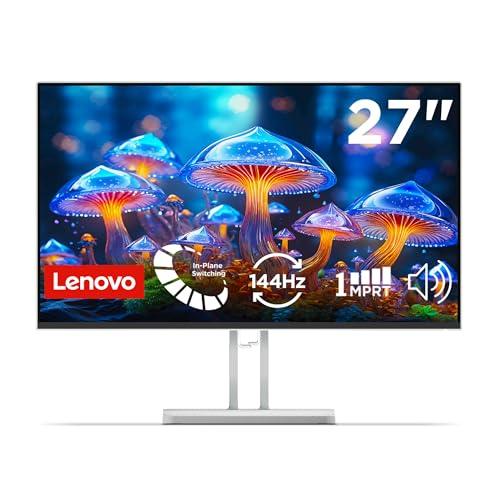
A fast, bezel-less 27-inch for daily work, and Amazon's #2 best-selling monitor. It runs 144Hz with 1ms response and 99% sRGB colour. It also adds 2x3W speakers the Acer lacks. Reviews show a real but mild rate of shipping damage and DOA units — 23% recent-negative. That is common for cheap 27-inch panels, so inspect it the moment it arrives.
Specifications
| Screen Size | 27 inches |
|---|---|
| Resolution | 1920 x 1080 (FHD) |
| Panel Type | IPS |
| Colour Gamut | 99% sRGB |
| Brightness | 300 nits |
| Refresh Rate | 144 Hz |
| Response Time | 1ms MPRT |
| USB-C Power Delivery | None |
| Stand Adjustability | Tilt-only |
| Built-in Speakers | 2x3W |
| Warranty | 3 Year Manufacturer |
Pros
- +144Hz refresh with 1ms response time
- +99% sRGB colour and built-in 2x3W speakers
- +TUV Rheinland Flicker-Free certified
- +Amazon Best-Seller #2 in Monitors — high purchase volume
- +3-year warranty
Cons
- -HDMI + VGA only — no DisplayPort or USB-C
- -Tilt-only stand
- -Recurring shipping-damage/DOA reports — inspect on arrival
- -300-nit brightness is mid-pack for the price
Score Breakdown
A high-volume value pick if you want built-in speakers and a slim look under ₹11,000. Check it carefully on unboxing, within the return window.
LG 24U411A-BN 24-inch FHD IPS
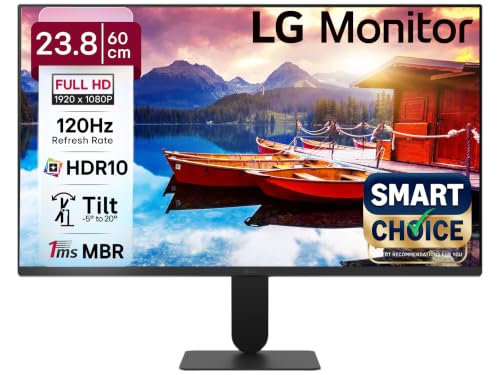
At ₹7,499 this is the cheapest screen in the roundup, and a smart first monitor. The 23.8-inch size hits the FHD sharpness sweet spot for text, and 120Hz keeps scrolling smooth. But it carries the budget-tier risks. 27% of recent reviews are negative. Buyers cite dead-on-arrival units, dead pixels and a yellow tint on some panels. A few call the fixed stand angle uncomfortable.
Specifications
| Screen Size | 23.8 inches |
|---|---|
| Resolution | 1920 x 1080 (FHD) |
| Panel Type | IPS |
| Colour Gamut | 99% sRGB |
| Brightness | 250 nits |
| Refresh Rate | 120 Hz |
| Response Time | 5ms (1ms MBR) |
| USB-C Power Delivery | None |
| Stand Adjustability | Tilt-only |
| Built-in Speakers | None |
| Warranty | 3 Year Parts & Labor |
Pros
- +Lowest price in this entire research — ₹7,499
- +23.8-inch FHD hits the text-sharpness sweet spot
- +120Hz refresh and HDR10 support
- +99% sRGB colour
- +High-volume Amazon best-seller
Cons
- -DOA units, dead pixels and a yellow tint reported on some panels
- -Fixed tilt angle called uncomfortable by several buyers
- -HDMI + VGA only — no DisplayPort or USB-C
- -27% recent-negative reviews — above the field average
Score Breakdown
The budget pick for a sharp, simple second screen or a student desk. Accept the lottery of cheap-panel QC and inspect for dead pixels immediately.
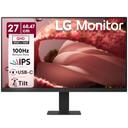
LG 27U631A 27-inch QHD IPS
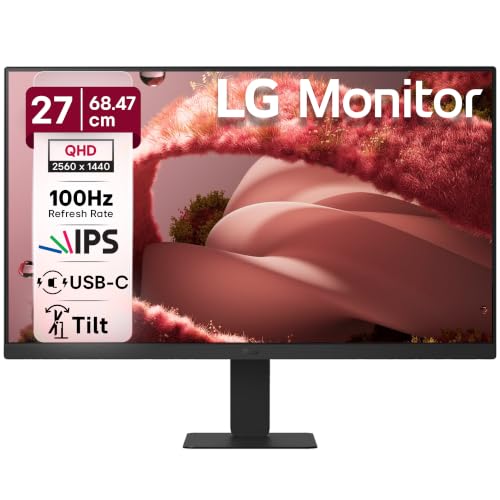
QHD sharpness for ₹14,499, sitting between the FHD budget pack and the pricier 4K screens. The 27-inch panel adds HDR10 and 99% sRGB over its FHD rivals. Its USB-C port carries video, but — per many reviews — often fails to deliver the 15W of charging it advertises. It also has the tier's worst recent record, at 32% negative, with screen-bleed and missing-screw reports.
Specifications
| Screen Size | 27 inches |
|---|---|
| Resolution | 2560 x 1440 (QHD) |
| Panel Type | IPS |
| Colour Gamut | 99% sRGB |
| Brightness | 250 nits |
| Refresh Rate | 100 Hz |
| Response Time | 5ms GtG |
| USB-C Power Delivery | 15W (charging unreliable in reviews) |
| Stand Adjustability | Tilt-only |
| Built-in Speakers | None |
| Warranty | 3 Year Parts & Labor |
Pros
- +QHD (2560x1440) sharper than FHD rivals at a similar price
- +HDR10 and 99% sRGB colour
- +100Hz refresh rate
- +USB-C video output (DP Alt-mode) alongside HDMI
Cons
- -USB-C often won't charge a laptop despite its 15W claim
- -Screen-bleed complaints from some buyers
- -Tilt-only stand
- -32% recent-negative — the worst in the budget tier
- -Missing stand screws reported by several buyers
Score Breakdown
Pick it for QHD sharpness on a budget, but treat the USB-C as a display cable, not a charger. The reliability record is the weakest in the budget tier.
Mid-Range Picks (₹15,000–₹30,000)
From ₹15,000 to ₹30,000 the big upgrade is resolution: every pick here is 4K. This is the WFH sweet spot — sharp text and room for two windows side by side. USB-C docking is still rare at this price, so check each listing before you count on charging over one cable.
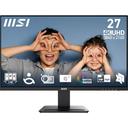
MSI PRO MP273U 27-inch 4K
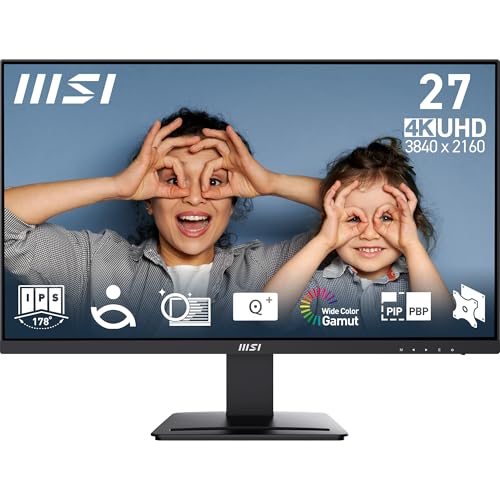
For colour work on a budget, nothing here beats the MSI. Its 4K panel covers 118% sRGB and 98% DCI-P3 — the widest gamut in this roundup — at ₹18,215, the cheapest 4K screen in the field. It is TÜV-certified for eye comfort and does PIP/PBP for two sources. The trade-offs are no USB-C, a tilt-only stand, and only 15 India reviews so far.
Specifications
| Screen Size | 27 inches |
|---|---|
| Resolution | 3840 x 2160 (4K) |
| Panel Type | IPS |
| Colour Gamut | 118% sRGB / 98% DCI-P3 / 93% AdobeRGB |
| Brightness | 300 nits |
| Refresh Rate | 60 Hz |
| Response Time | 4ms |
| USB-C Power Delivery | None |
| Stand Adjustability | Tilt-only |
| Built-in Speakers | 3W |
| Warranty | 3 Year Manufacturer |
Pros
- +Widest colour gamut here: 93% AdobeRGB, 98% DCI-P3, 118% sRGB
- +4K UHD at ₹18,215 — the cheapest 4K panel in the field
- +PIP/PBP for dual-source viewing
- +TUV Rheinland eye-comfort certified, anti-flicker
- +Built-in speakers for calls
Cons
- -No USB-C — HDMI 2.0b and DisplayPort 1.4a only
- -Only 15 India reviews — reliability unproven
- -Tilt-only stand, no height or swivel
- -60Hz refresh rate
Score Breakdown
The value pick for photo and design work that needs accurate colour, not ergonomics or USB-C. Accept the basic tilt stand and a thin review base for the gamut you get.
LG 27US500 27-inch 4K IPS
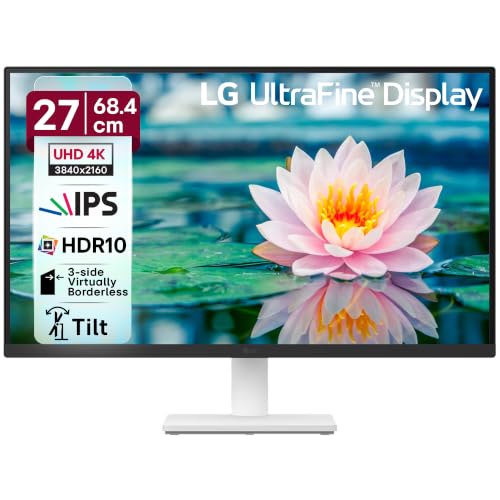
A no-frills 4K IPS panel for a sub-₹20,000 desk. It gives you DCI-P3 90% colour, 300 nits and dual HDMI plus DisplayPort for ₹19,999. There is no USB-C and no speakers — LG cut both to hit this price. A few buyers report screen bleed or a dead pixel, not often enough to disqualify it. The 3-year parts-and-labour warranty is reassuring.
Specifications
| Screen Size | 27 inches |
|---|---|
| Resolution | 3840 x 2160 (4K) |
| Panel Type | IPS |
| Colour Gamut | 90% DCI-P3 |
| Brightness | 300 nits |
| Refresh Rate | 60 Hz |
| Response Time | 5ms GtG |
| USB-C Power Delivery | None |
| Stand Adjustability | Tilt-only |
| Built-in Speakers | None |
| Warranty | 3 Year Parts & Labor |
Pros
- +4K UHD sharpness under ₹20,000
- +DCI-P3 90% colour gamut
- +Dual HDMI plus DisplayPort
- +3-year LG Parts & Labor warranty
- +Recent reviews in line with the field (24% negative)
Cons
- -No USB-C — DisplayPort and HDMI only
- -No built-in speakers
- -Tilt-only stand
- -Occasional screen-bleed/dead-pixel reports
- -60Hz refresh rate
Score Breakdown
A straightforward 4K pick if you just want sharp text and don't need USB-C or built-in speakers. Budget for a separate pair of desk speakers.
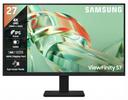
Samsung 27-inch ViewFinity S7 4K
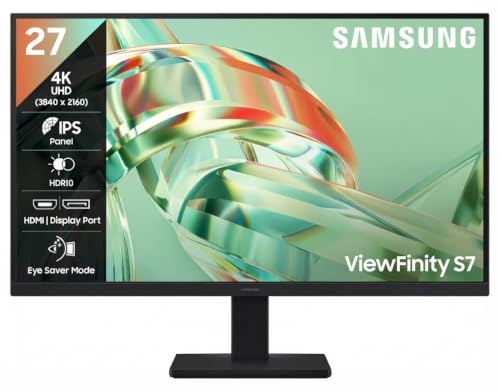
The S7 is the brand-safe 4K choice at ₹20,599. It pairs a 99% sRGB IPS panel with HDR10 and PIP/PBP, backed by Samsung's 3-year warranty. Like its LG rival it skips USB-C and speakers. It also sells slowly — under one review a month — so there is less real-world evidence to judge long-term reliability from. What exists reads healthy.
Specifications
| Screen Size | 27 inches |
|---|---|
| Resolution | 3840 x 2160 (4K) |
| Panel Type | IPS |
| Colour Gamut | 99% sRGB |
| Brightness | 300 nits |
| Refresh Rate | 60 Hz |
| Response Time | 5ms GtG |
| USB-C Power Delivery | None |
| Stand Adjustability | Tilt-only |
| Built-in Speakers | None |
| Warranty | 3 Year Manufacturer |
Pros
- +4K UHD with 99% sRGB and HDR10
- +PIP/PBP for dual-source work
- +DisplayPort, HDMI and a headphone jack
- +Samsung brand backing and 3-year warranty
- +23% recent-negative — the healthier end of the field
Cons
- -No USB-C
- -No built-in speakers
- -Tilt-only stand
- -Slow seller — thinner review base to judge from
- -60Hz refresh rate
Score Breakdown
Choose it over the LG 27US500 if you prefer Samsung's panel and HDR10, and you don't mind a thinner review trail. Both need external speakers.
Premium Picks (₹30,000+)
Above ₹30,000 you are paying for a genuine docking hub, not just a panel. That means real USB-C Power Delivery, full ergonomic stands, and — on the Samsung — a KVM switch and Ethernet. For the display basics behind these specs, our laptop buying guide covers resolution and panel types too.
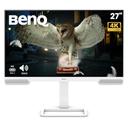
BenQ EW2790U 27-inch 4K UHD IPS
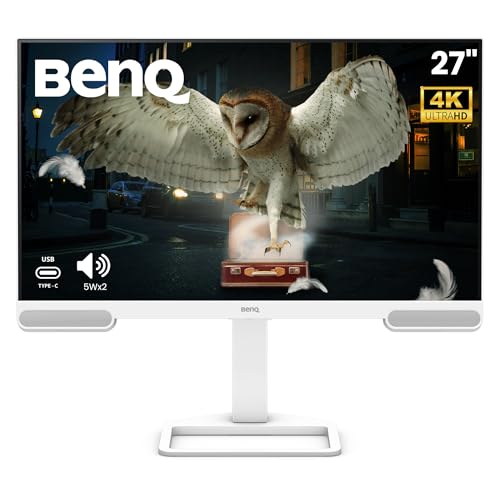
This is the pick if you want one cable to run and charge a laptop on a sharp 4K screen. The 27-inch IPS panel covers 95% DCI-P3 and hits 350 nits, the brightest here. Its 65W USB-C charging actually works — buyers confirm it. Just 6% of its recent India reviews are negative, the cleanest record in this roundup. The catch is the ₹31,490 price and a plain 60Hz refresh.
Specifications
| Screen Size | 27 inches |
|---|---|
| Resolution | 3840 x 2160 (4K) |
| Panel Type | IPS |
| Colour Gamut | 95% DCI-P3 |
| Brightness | 350 nits |
| Refresh Rate | 60 Hz |
| Response Time | 5ms GtG |
| USB-C Power Delivery | 65W (confirmed working) |
| Stand Adjustability | Full (height/tilt/swivel/pivot) |
| Built-in Speakers | 5Wx2 treVolo |
| Warranty | 3 Year Manufacturer |
Pros
- +4K UHD with 95% DCI-P3 and 350-nit brightness
- +65W USB-C charging confirmed working in reviews
- +Full ergonomic stand: height, tilt, swivel, pivot
- +Only 6% recent-negative — the cleanest record here
- +3x HDMI plus a USB hub and usable 5Wx2 speakers
Cons
- -60Hz refresh — fine for productivity, not fast motion
- -At ₹31,490 it's a real step up from the mid-range
- -Spec-sheet lists 400cd/m² vs 350 nits in the bullets
Score Breakdown
Buy it for a do-everything 4K screen with real single-cable charging and a proven reliability record. You pay a premium and accept 60Hz — fine for work, not fast motion.
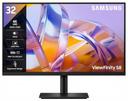
Samsung 32-inch ViewFinity S8 4K
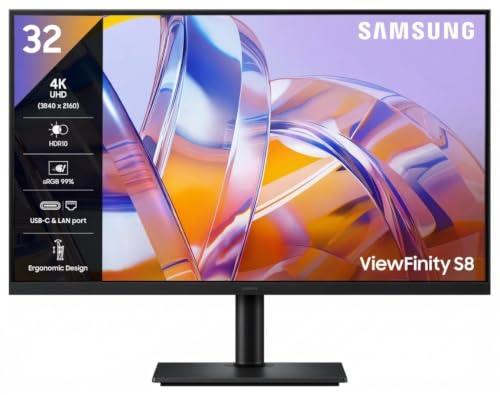
The S8 is built for a two-PC desk. It is the only monitor here with a built-in KVM switch and an Ethernet port. Its 90W USB-C charging is the highest in this roundup. The 32-inch VA panel trades a little viewing-angle consistency for strong 3,000:1 contrast. The snag is evidence: only 8 India reviews exist, too few to prove its reliability either way.
Specifications
| Screen Size | 32 inches |
|---|---|
| Resolution | 3840 x 2160 (4K) |
| Panel Type | VA |
| Colour Gamut | 99% sRGB |
| Brightness | 350 nits |
| Refresh Rate | 60 Hz |
| Response Time | 5ms GtG |
| USB-C Power Delivery | 90W |
| Stand Adjustability | Full (height/tilt/swivel/pivot) |
| Built-in Speakers | None |
| Warranty | 3 Year Manufacturer |
Pros
- +Built-in KVM switch — share one screen between two PCs
- +Ethernet (LAN) pass-through port
- +90W USB-C Power Delivery — highest here
- +32-inch 4K VA with 3,000:1 contrast
- +Full ergonomic stand and 9 total USB ports
Cons
- -VA panel — narrower optimal viewing angle than IPS
- -Only 8 India reviews — reliability unproven either way
- -60Hz refresh rate
- -No built-in speakers
Score Breakdown
Pick it if you share one screen between a work laptop and a home PC and want Ethernet plus 90W charging built in. Its thin review base is the one real unknown.
Side-by-Side Comparison
| Monitor | Price | Resolution | Panel | Refresh | USB-C PD | Colour Gamut | Stand |
|---|---|---|---|---|---|---|---|
| BenQ EW2790U | ₹31,490 | 4K | IPS | 60 Hz | 65W (works) | 95% DCI-P3 | Full |
| Samsung ViewFinity S8 32" | ₹30,960 | 4K | VA | 60 Hz | 90W + KVM + LAN | 99% sRGB | Full |
| MSI PRO MP273U | ₹18,215 | 4K | IPS | 60 Hz | None | 118% sRGB / 98% P3 | Tilt |
| LG 27US500 | ₹19,999 | 4K | IPS | 60 Hz | None | 90% DCI-P3 | Tilt |
| Samsung ViewFinity S7 27" | ₹20,599 | 4K | IPS | 60 Hz | None | 99% sRGB | Tilt |
| Acer SA272 P1 | ₹8,619 | FHD | IPS | 144 Hz | None | 99% sRGB | Tilt |
| Lenovo L27-4C | ₹10,999 | FHD | IPS | 144 Hz | None | 99% sRGB | Tilt |
| LG 27U631A | ₹14,499 | QHD | IPS | 100 Hz | 15W (unreliable) | 99% sRGB | Tilt |
| LG 24U411A-BN | ₹7,499 | FHD | IPS | 120 Hz | None | 99% sRGB | Tilt |
What Buyers Report After a Few Months
Spec sheets look alike across these nine monitors; the verified India reviews are where they separate. One theme runs through the whole category: physical damage in transit. Budget 27-inch panels like the Lenovo L27-4C and the LG 24U411A-BN draw the most dead-on-arrival and shipping-damage complaints. The rate — around a quarter of recent reviews — is typical for cheap large panels, not a fault unique to either model.
Dead or stuck pixels and panel-tint issues show up next, again mostly in the budget tier. Several LG 24U411A-BN buyers describe a yellowish cast on their unit. A few LG 27US500 owners report backlight bleed. These are a minority of orders, but common enough that you should check the panel the moment it arrives.
The sharpest warning is about USB-C. The LG 27U631A advertises 15W of charging, yet many reviewers say the port shows video but will not reliably power a laptop. We scored its USB-C down to match what buyers actually get, not what the box claims. Its 32% recent-negative rate is the worst in the budget tier.
At the other end, the BenQ EW2790U stands out for the opposite reason. Only 6% of its recent reviews are negative, and its 65W charging draws no charging complaints. The two premium Samsungs and the MSI are harder to judge — each has fewer than 20 India reviews, so we marked their reliability unproven rather than guessing from a tiny sample.
How to Read a Monitor Spec Sheet
Four numbers on a monitor listing mislead more buyers than any others, and every one of them appears in this roundup.
Colour gamut. Amazon.in listings sometimes show a bare figure like "Color Gamut: 72". That is almost always 72% NTSC, an older standard that converts to roughly 99% sRGB — the modern one. The Acer SA272 P1 lists exactly this. Read as "72% sRGB" it would look mediocre; it isn't.
USB-C. One port can mean three things: video only, video plus a USB hub, or video plus data plus laptop charging. Only an explicit Power Delivery wattage — "65W PD" on the BenQ — reliably charges a laptop. Even then, the reviews are the final word.
Panel type. IPS keeps colour steady when you sit off-centre; VA trades some of that for deeper blacks and higher contrast. The Samsung ViewFinity S8 is the lone VA here, with 3,000:1 contrast against the 1,000–1,500:1 of the IPS field. Neither wins outright.
Resolution and size. Sharpness is pixel density, not inches. A 24-inch FHD panel is sharper for text than a 27-inch FHD one, because the same pixels spread further. QHD at 27 inches and 4K at 27–32 inches are the sharpest options here.
How We Score
| Criterion | Weight | Based On |
|---|---|---|
| Picture Quality | 30 | Resolution, pixel density and panel type come first. A 24-inch FHD panel shows sharper text than a 27-inch one. We normalise colour gamut to sRGB, and count brightness and HDR as bonuses. |
| Owner Experience & Reliability | 25 | This is the only score read from reviews. We check the last 100 verified India reviews for dead units, dead pixels, panel tint and charging that fails. A high recent-negative rate caps the score, whatever the star average says. |
| Ergonomics & Connectivity | 20 | Stand adjustment, DisplayPort and USB-C, and whether a stated charging wattage really works in buyer reports. KVM and Ethernet earn extra credit as rare features. |
| Everyday Performance & Eye Comfort | 15 | Refresh rate as basic smoothness, not gaming depth, plus flicker-free and eye-comfort marks. A 60Hz 4K screen bought for sharp text is not marked down like a gaming miss. |
| Value & Warranty | 10 | Price against the spec sheet within the same tier, plus warranty length and on-site versus carry-in service. The cheapest screen can still earn a strong value score. |
Not sure which screen fits your desk?
Our laptop buying guide breaks down resolution, panel types and colour gamut — the same display basics that decide which external monitor is right for you.
Read the Buying GuideFrequently Asked Questions
The Acer SA272 P1 (₹8,619). It has the cleanest recent review record in the budget tier — only 17% negative. You also get a fast 144Hz refresh and 1ms response on a 27-inch IPS panel. Colour is a full 99% sRGB. The catch is a bare HDMI-plus-VGA connection and a fixed tilt-only stand. For a first monitor, that is a fair deal.
At 27 inches and up, yes. 4K sharpens text and fits two windows side by side. In this roundup the MSI PRO MP273U delivers it cheapest, at ₹18,215. Below 27 inches the gain shrinks, because FHD is already fairly sharp. At that size the 23.8-inch LG 24U411A-BN is a better value.
No. Here, the BenQ EW2790U (65W) and Samsung ViewFinity S8 (90W) do charge a laptop over one cable. The LG 27U631A claims 15W, but many buyers say the port won't charge. So look for a stated charging wattage. Then check the reviews before you trust it.
Yes — a high-refresh gaming monitor works fine for productivity; you are just paying for speed headroom you may not use. The reverse is weaker: a 60Hz office panel feels sluggish for fast games. If gaming is your main use, start with our best gaming monitors in India instead.
IPS suits most desks. Colour stays consistent when you sit off to the side, good for shared or wide setups. VA, like the Samsung ViewFinity S8 here, gives deeper blacks and higher 3,000:1 contrast. That helps in dark rooms and for movies. Neither is a clear winner — it depends on how you sit and what you watch.
An old star rating can lean on older, better stock. Several monitors here read worse across their last 100 reviews than that rating shows — the LG 24U411A-BN and LG 27U631A most of all. The recent trend is closer to what you will get. So we lean on it heavily.